Webhooks
Webhooks
You can use app webhooks to receive real-time updates for all the actions registered in the app. To do so, go to Settings (top right corner of the app) and click “Webhooks“ in the left menu.
Webhooks in Jira are a mechanism used to send real-time notifications to external systems when specific events occur in Jira, such as work item creation, updates, or status changes. They are primarily used by developers and integration teams to connect Jira with other tools, automate workflows, and enable data synchronization between systems.
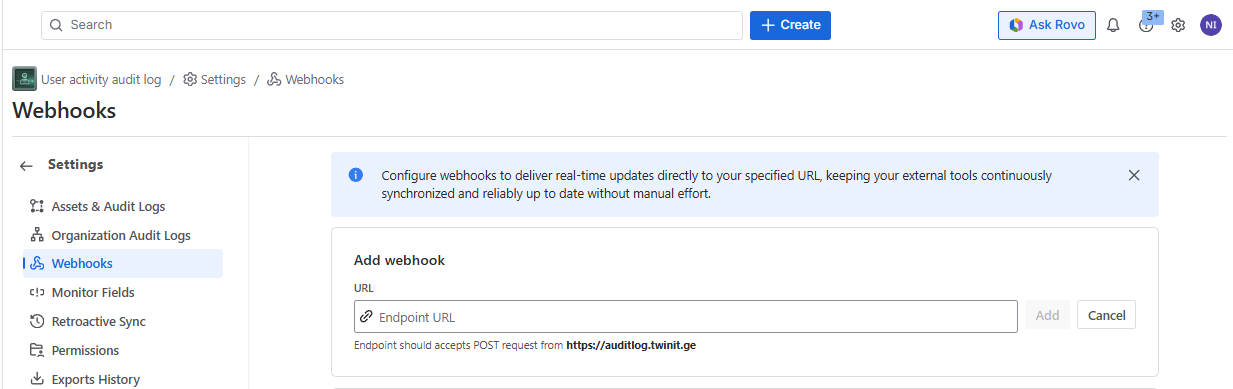
To add a webhook endpoint URL, enter the URL in the “URL“ field and click “ Add “ :
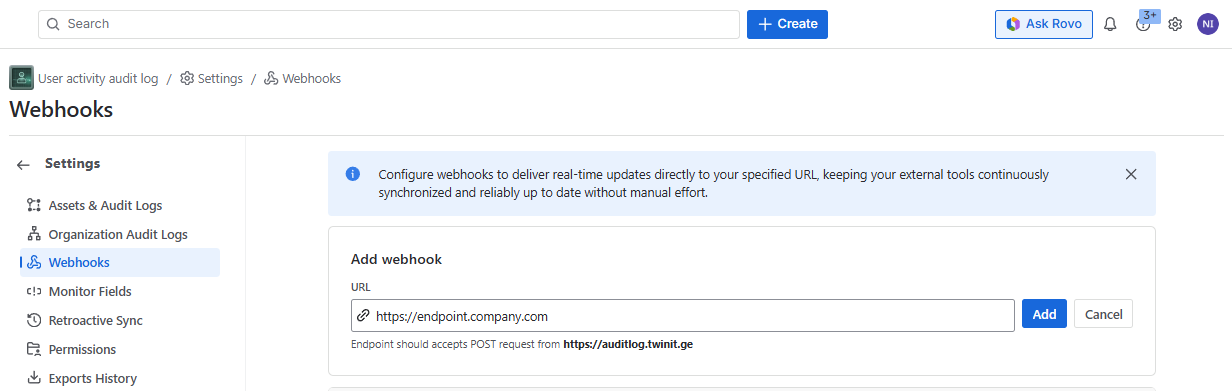
[!IMPORTANT]
Endpoint should accepts POST request from https://auditlog.twinit.ge
The URL will be added to the list :
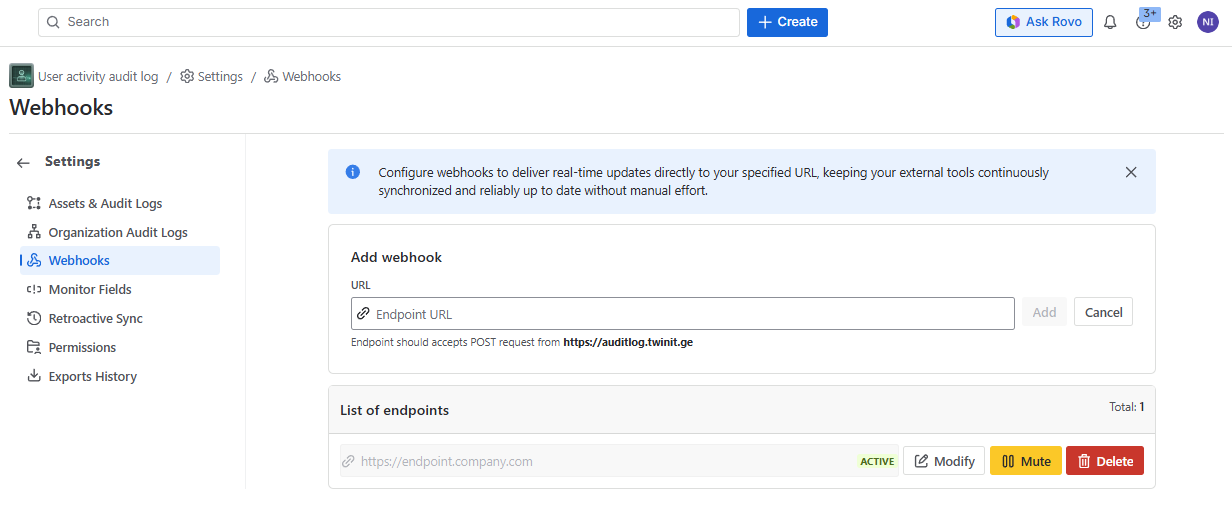
After adding more than 10 endpoints, pagination will appear with 10 endpoints on every page.
From here you can add more endpoints, or
- Modify the existing one (you can edit URL)
- Mute the URL (a confirmation screen will be shown and if confirmed the API will be paused and will not receive the action data)
- Unmute the muted URL (a confirmation screen will be shown and if confirmed the API will activate and will again receive the action data)
- Delete the webhook
JSON format
{
  "accountId": "ACTOR_ACCOUNT_ID",
  "accountName": "ACTOR_DISPLAY_NAME",
  "avatar": "ACTOR_AVATAR",
  "instanceName": "EVENT_INSTANCE_ADDRESS",
  "issueKey": "ISSUE_KEY",
  "requestTypeName": "REQUEST_TYPE_NAME",
  "issueTypeName": "ISSUE_TYPE_NAME",
  "actionType": "OCCURRED_ACTION",
  "target": "EVENT_TYPE",
  "projectKey": "PROJECT_KEY",
  "projectName": "PROJECT_NAME",
  "changedFrom": "OLD VALUE",
  "changedTo": "NEW VALUE",
  "createdAt": "EVENT_DATE",
  "objectId": "COMMON_OBJECT_ID",
  "summary": "ISSUE_SUMMARY"
}