Aggregated View
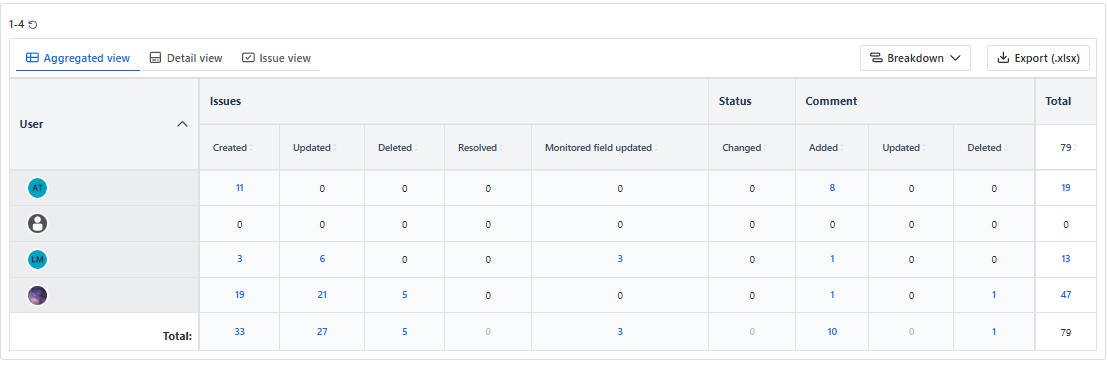
The Aggregated view shows all the actions based on action authors in the rows:
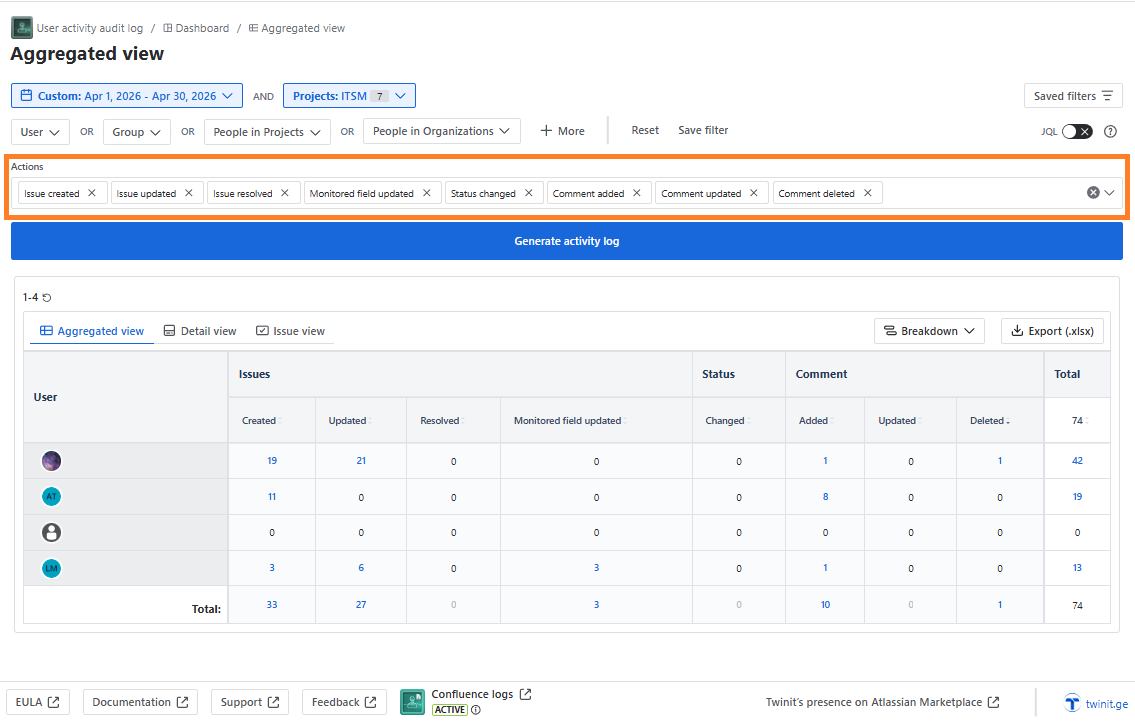
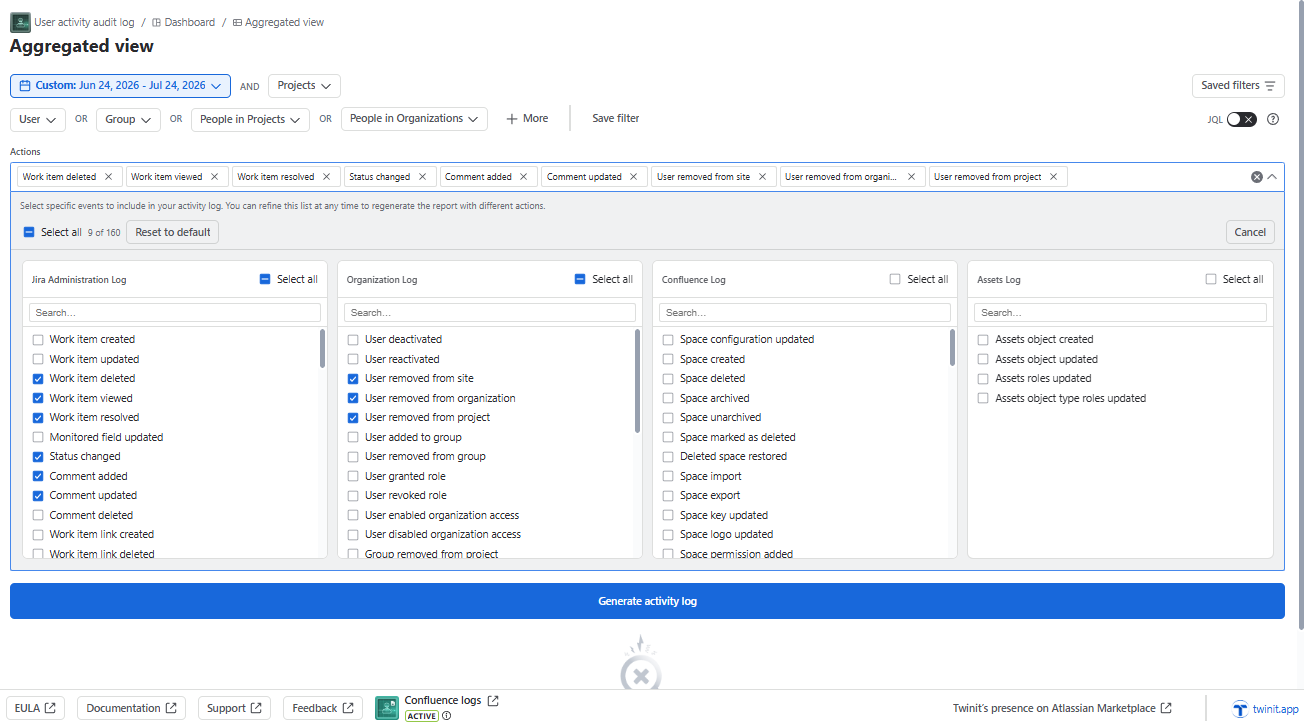
You can configure the columns which you want to be displayed by clicking “Actions” drop down:
The number of work items is clickable:
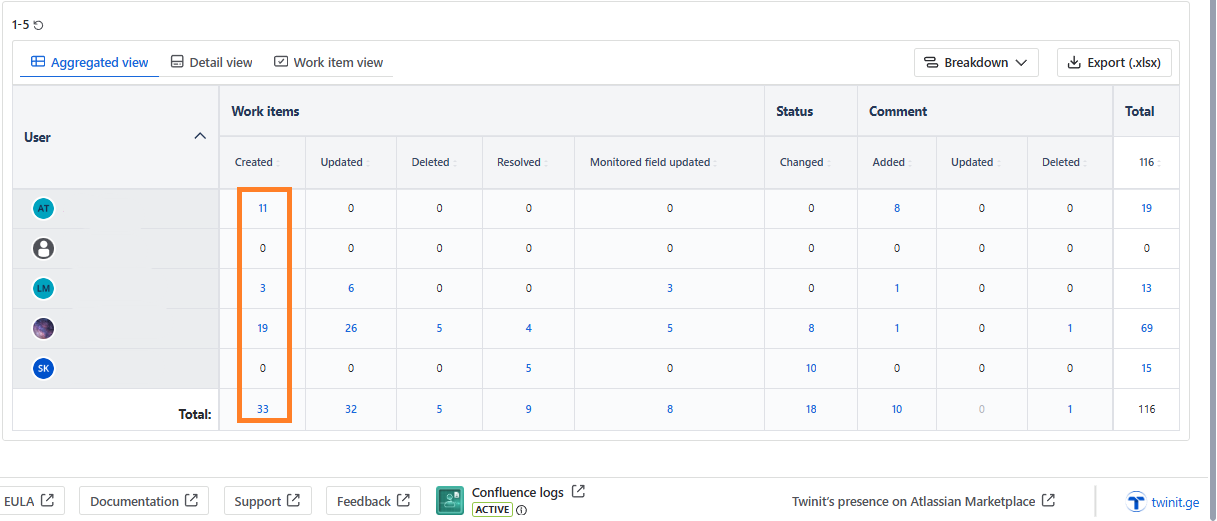
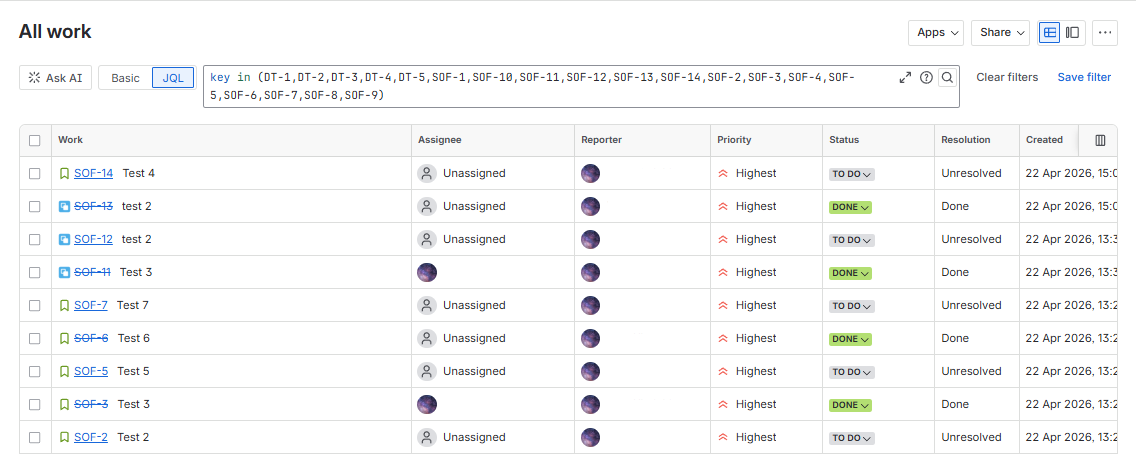
If it is less than 100, the Jira page with the work items will open on a new tab:
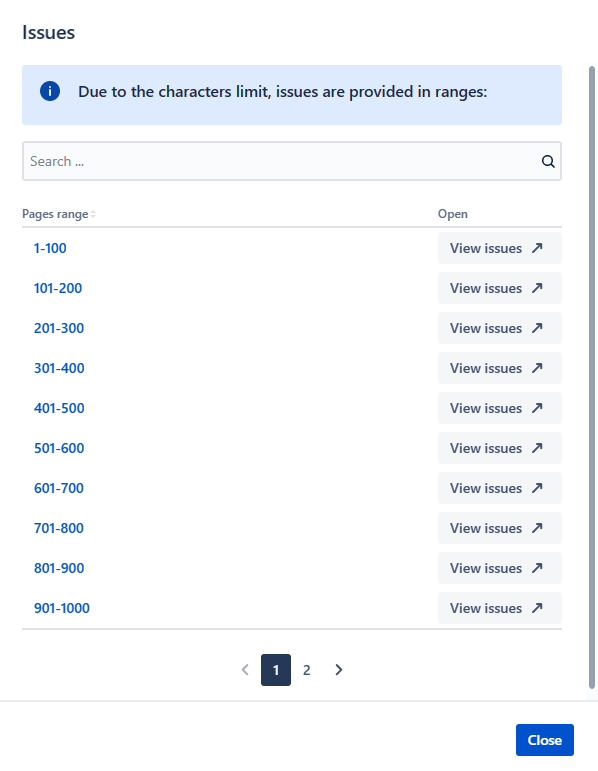
If the number of work items is more than 100, after clicking the number, you will see a popup with the ranges of the work items, which you can click and open Jira filter with the corresponding selection:
If the current user is not added to the project, where the work items are located, after clicking the number, you will see the corresponding notification:

You can Export the results in the .xlsx format by clicking Export (.xlsx) button. You will see the confirmation popup and after clicking Yes, the file will be downloaded.