User Guide For Confluence Logs
User Guide For Confluence Logs
To use this extension app, User Activity Audit Log for Jirashould be initially installed in Jira on the same Cloud instance.
After installation, without any further configuration, the Confluence actions will appear in the actions list above the Aggregated and Detail Views:
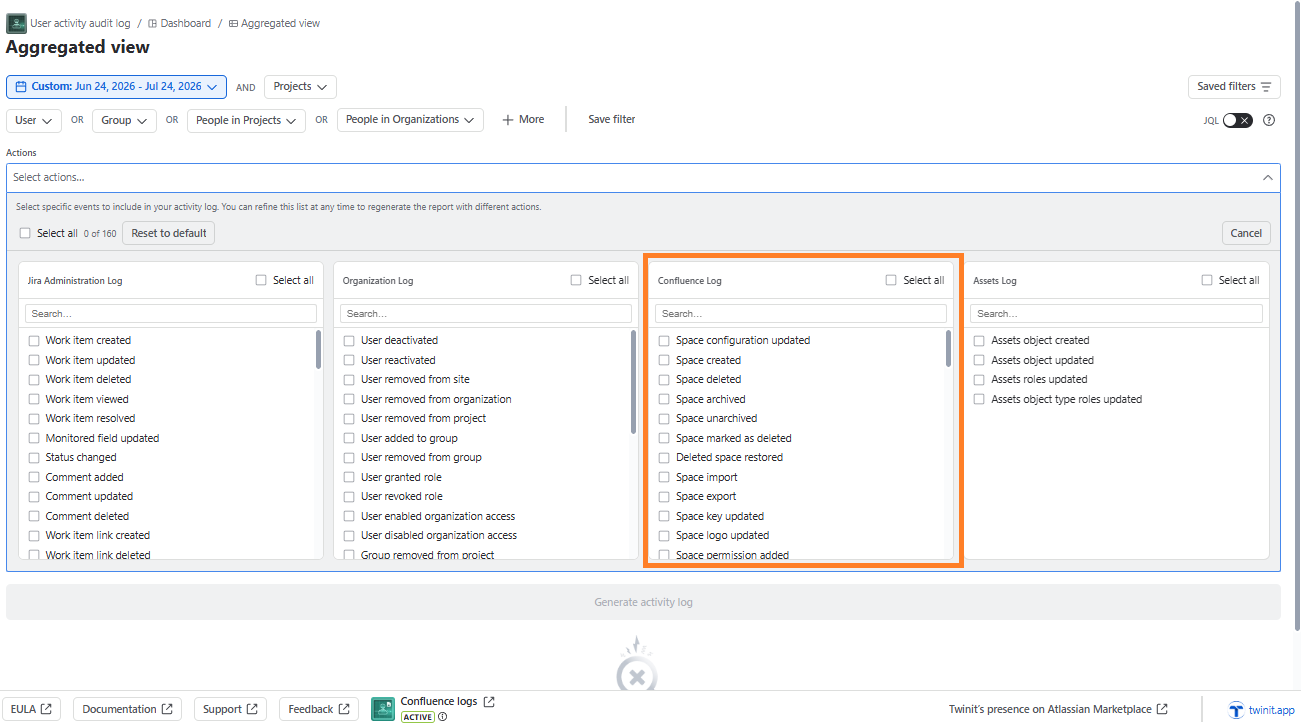
If the app is not enabled, the Confluence actions will be disabled
The following Confluence actions will be enabled after the activation:
- Space created *
- Space deleted *
- Space archived *
- Space unarchived *
- Space marked as deleted *
- Deleted space restored *
- Space import *
- Space export *
- Space key updated *
- Space logo uploaded *
- Space permission added *
- Space Configuration updated *
- Global settings changed *
- Global permission added *
- Global permission removed *
- Content restriction added *
- Content restriction removed *
- Attachment created
- Attachment removed
- Attachment restored
- Attachment trashed
- Attachment unarchived
- Attachment updated
- Attachment viewed
- Blog created
- Blog removed
- Blog restored
- Blog trashed
- Blog updated
- Blog viewed
- Blueprint page created
- Comment created
- Comment removed
- Comment updated
- Connect addon disabled
- Connect addon enabled
- Content created
- Content removed *
- Content restored *
- Content trashed *
- Content updated *
- Content permissions updated *
- Label added
- Label created
- Label deleted
- Label removed
- Page archived
- Page children reordered
- Page created
- Page copied
- Page moved
- Page removed
- Page restored
- Page trashed
- Page unarchived
- Page updated
- Page viewed
- Relation created
- Relation deleted
- Search performed
- Space permissions updated
- Space removed
- Space updated
- Theme enabled
- User followed
- User reactivated
- User removed
These actions are retrieved every 30 minutes. Therefore the action can appear in the log maximum after 30 minutes.
You can view these actions either in the Aggregate view or the Detail view.