Retroactive Sync
For all the actions it is possible to see the log starting from the installation of the plugin. However, for the work item- and asset-related actions, historical data, starting from January 1st of the previous year to the sync year, will be also available in the app.
To sync the historical data, go to the “Settings / Historic log sync” and click “Sync historical logs”. After the first run, depending on the number of work items and Asset objects, retrieving historical data may take from minutes to hours.
To see the status of the historical data sync, go to Settings (top right corner of the app) and Historic log sync:
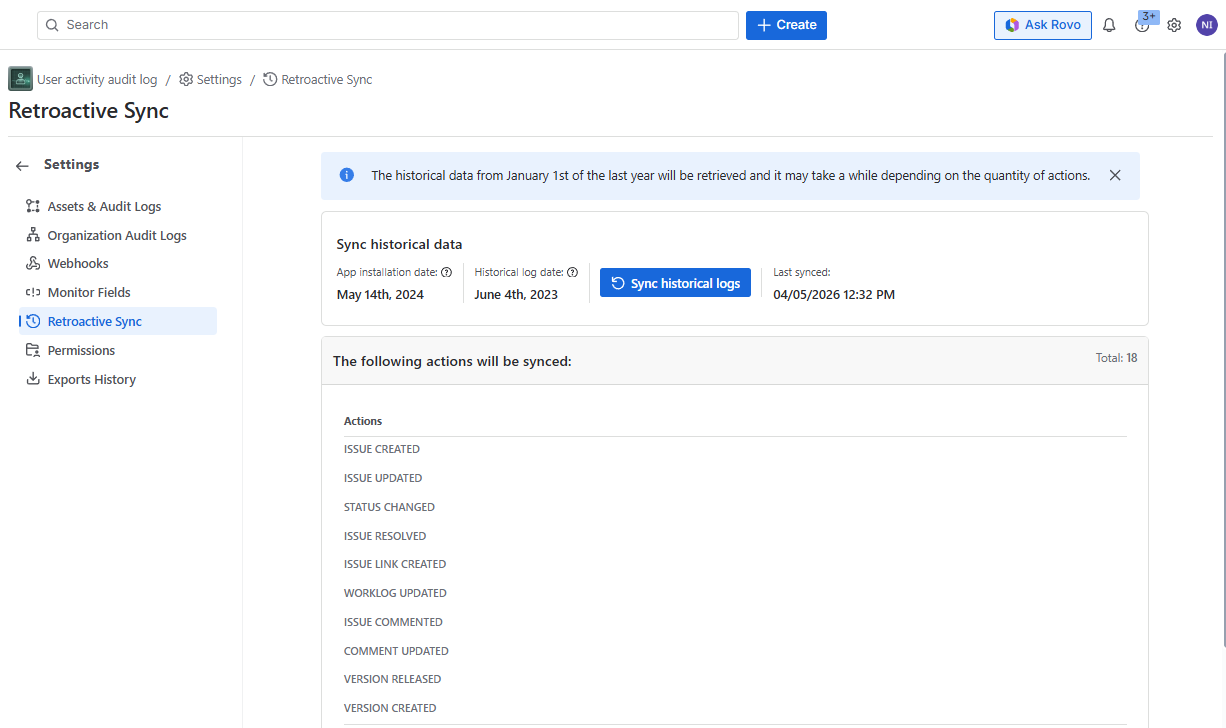
From here you can see the the following information:
App installation date
Historical log date
- The earliest date from when the logged actions will be synced and displayed in the app cannot be earlier than January 1st, of the previous year.
“Sync historical logs” button to re-retrieve the historical data
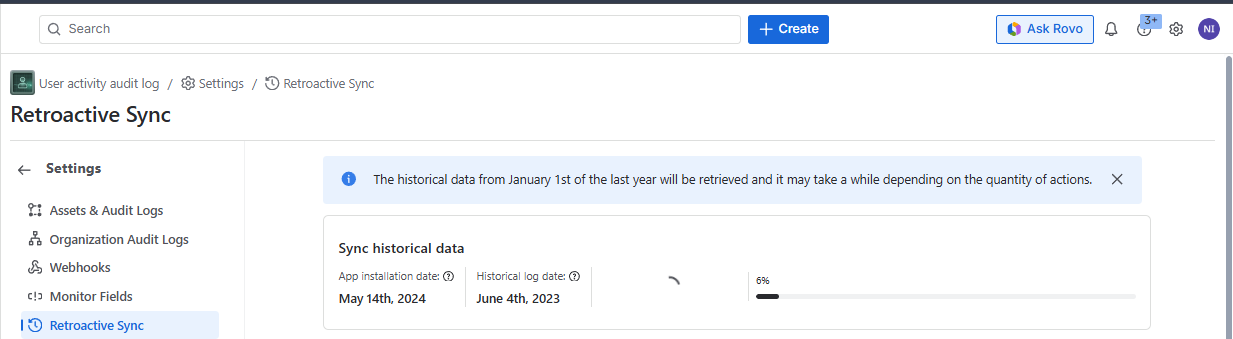
After clicking the button you will see the confirmation popup and the status of the sync, while it is in progress
After clicking “Confirm“, you can see the progress of the sync:
Last synced: Date and time when the historical log was last synced
List of the actions that can be synced:
Total: Number of the actions
The actions on the following components are not available in the historical data and only the actions done after the app installation will be visible:
- Global feature enable/disable
- Board
- Sprint
- Version
- Users
- Project category
- Comment update old value
- Work item deleted
- Actions from Jira administration audit log
- Jira organization audit log
- Assets audit log
- Work item view