Organization Audit log
Configuring Atlassian Guard (formerly Access) connection
If Atlassian Guard (formerly Access) is activated on your Cloud instance, you can retrieve user actions:
- User reactivated
- User deactivated
- User last active (Date/time)
- User removed from site
- User invited to site
- User detail changed
- User suspended from organization (Suspend access)
- User restored to organization (Restore access)
- User granted role (Grant Access)
- User revoked role (Revoke Access)
- User removed from organization
- User invited to organization
To be able to view these actions, you need to configure a connection with Atlassian Guard. To do so, go to Settings and click “Organization audit log“ in the left menu.
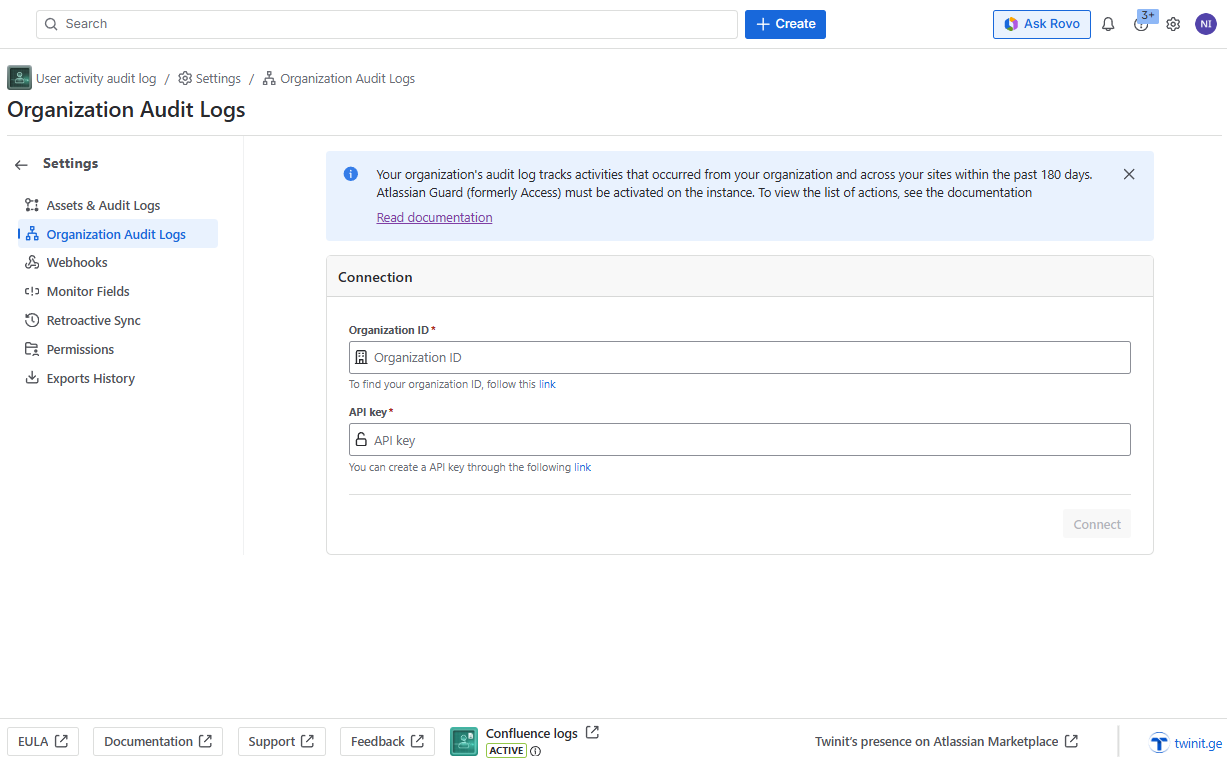
Enter two values in the corresponding fields:
- Organization ID
- API Key
To create/view both values, follow the instructions and click Connect.
Data storage: Credentials are securely stored in Atlassian’s environment using Forge’s encrypted storage. https://developer.atlassian.com/platform/forge/storage-reference/kvs-api-secret/. No credentials are stored outside the Atlassian platform.
If the values are correct, you will see the success message, otherwise, a status/error notification will be displayed:
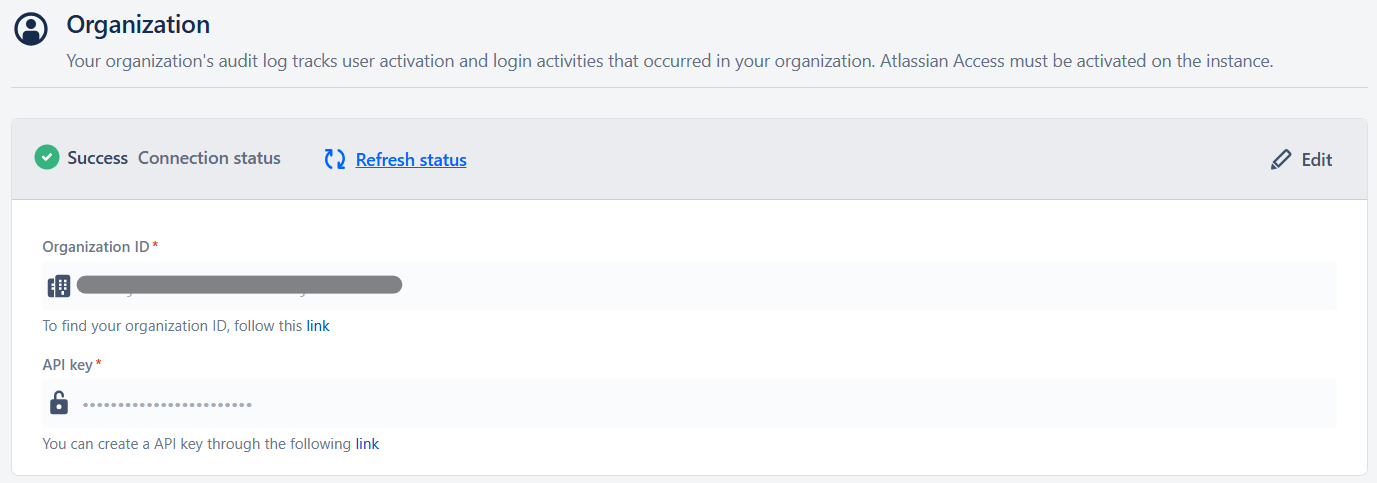
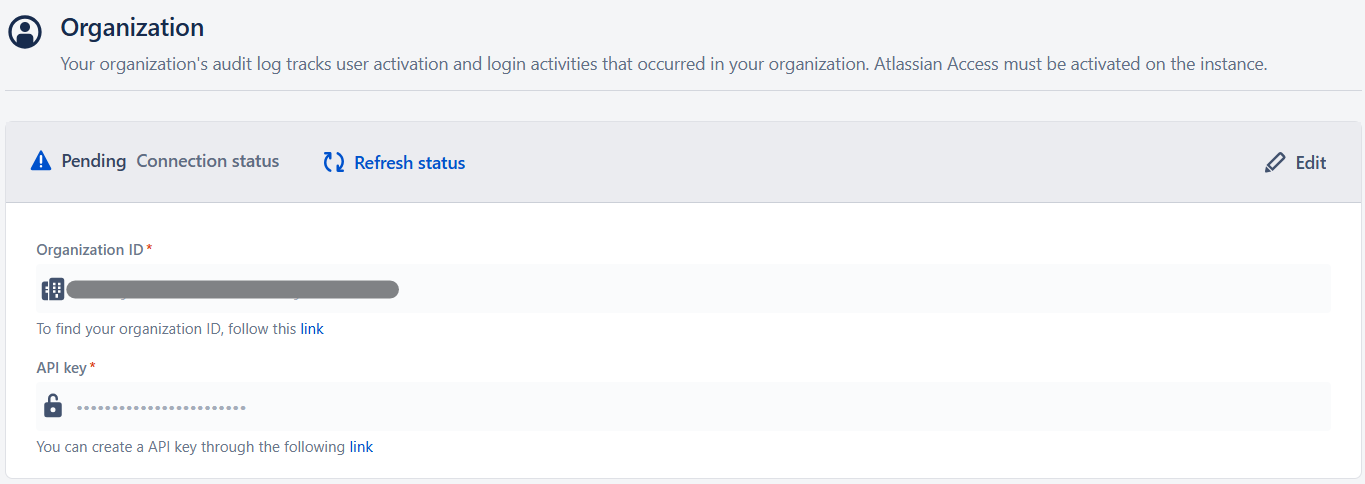
After entering the credentials, updating the status may take up to a minute. Once the connection is successful, the related actions will be retrieved every 30 minutes.