Data Retention
The Data Retention setting allows Jira Administrators to manage how long audit log data is stored in the User Activity Audit Log app before older records are automatically purged.
By default, audit logs are retained for 3 Years. Jira Admins can adjust the retention window to better align with organizational compliance, security policies, and storage preferences.
Navigate to Settings > Data Retention in the app menu:
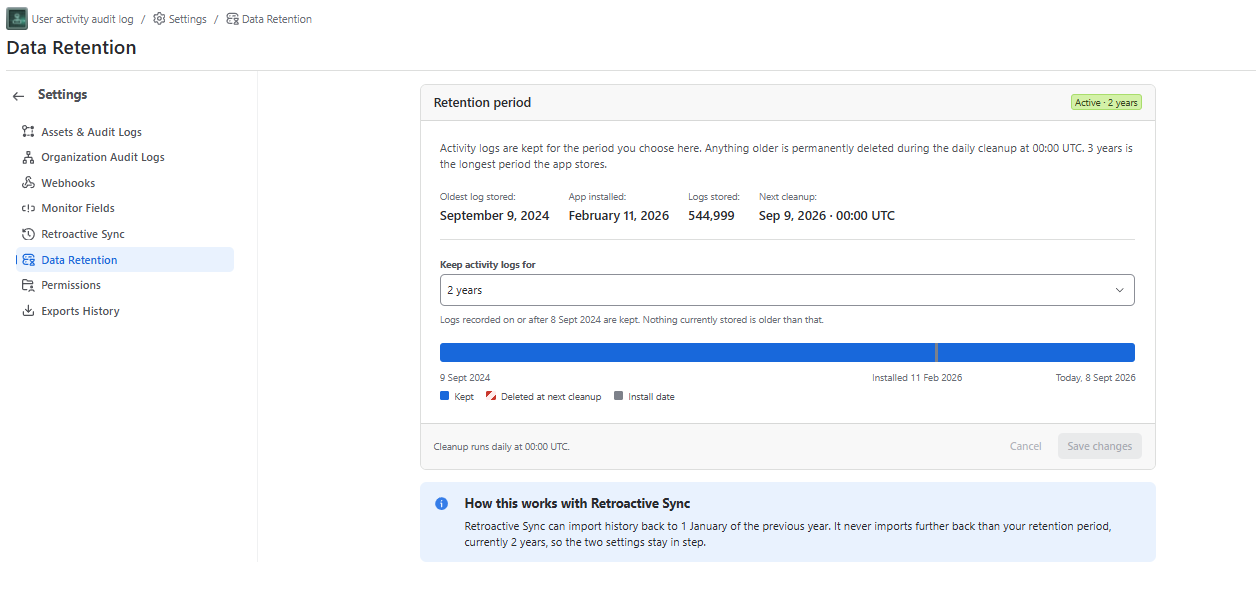
Customizable Data Retention
You can select one of the following retention periods from the dropdown menu.
24-hour grace period to align with your organization’s data governance policies.
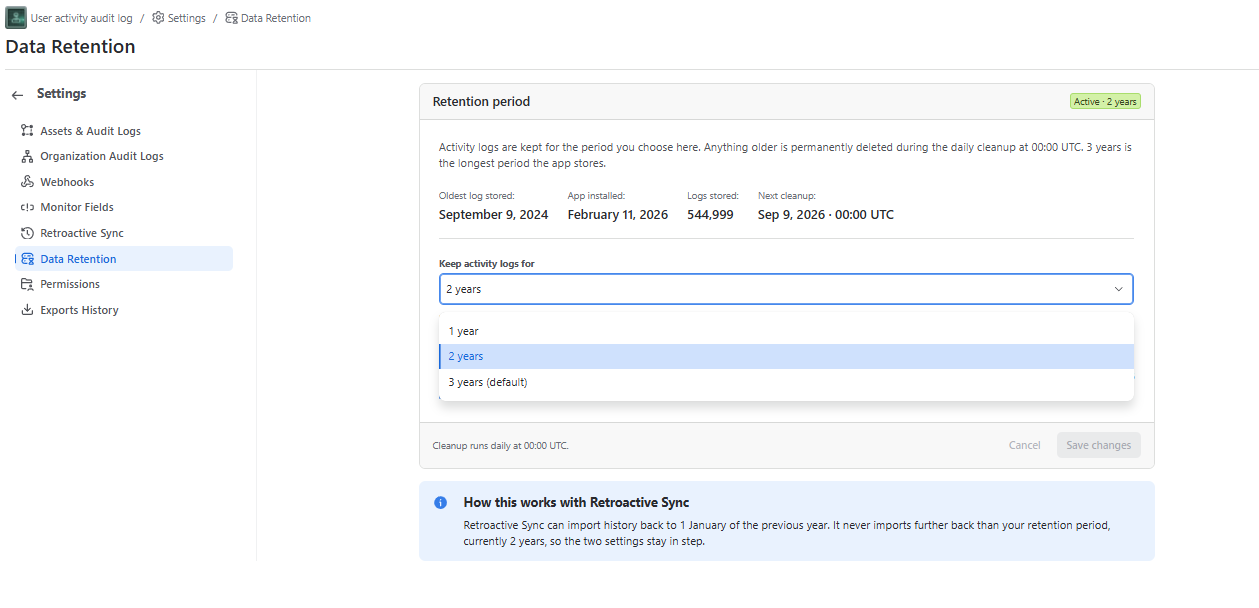
Activity logs are kept for the period you choose here. Anything older is permanently deleted during the daily cleanup at 00:00 UTC. 3 years (default) is the longest period the app stores.
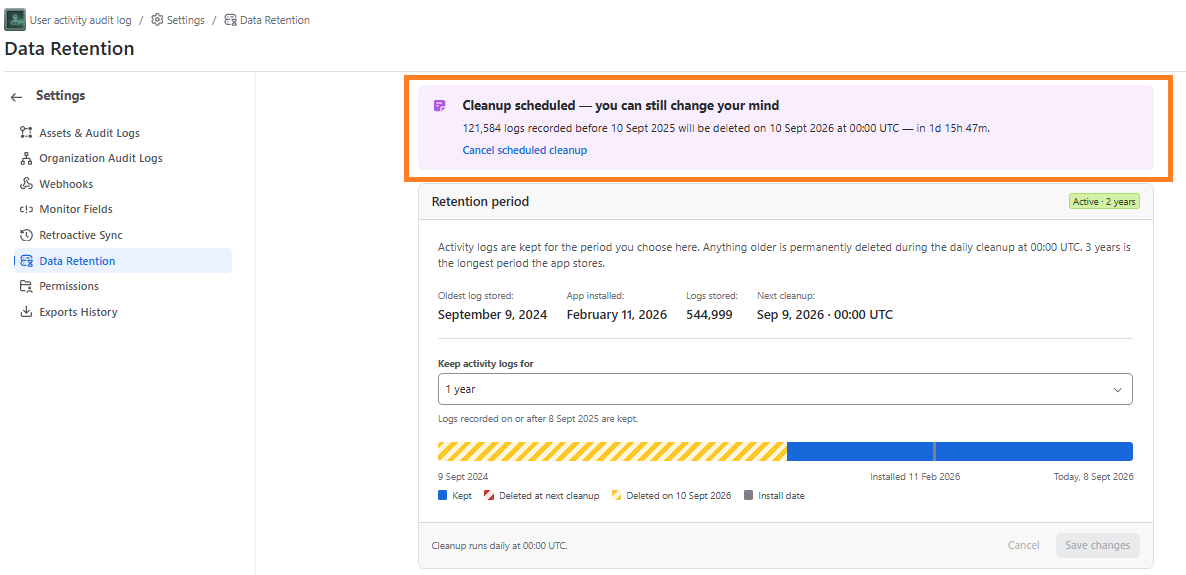
How Data Deletion & Grace Period Work
- 24-Hour Grace Period: When a shorter retention period is saved (e.g., changing from 3 Years to 1 Year), the application schedules data older than the new period for deletion within 24 hours.
- Reversion / Cancellation: If you change or revert the retention period back within the 24-hour window, the scheduled deletion is canceled and no historical logs are lost.
- Permanent Purge: Once 24 hours pass from the time of saving, older logs are permanently deleted and cannot be recovered.
Important Note: Before reducing the retention period, ensure that the change complies with your organization’s audit and regulatory requirements. Purged logs cannot be restored after the 24-hour grace period completes.
How this works with Retroactive Sync
Retroactive Sync can import history back to 1 January of the previous year. It never imports further back than your retention period, currently 2 years, so the two settings stay in step.