Workspaces
Overview
A workspace is a folder of registers plus a bundle of defaults:
| Workspace | |
|---|---|
| What it is | A folder of registers, plus default settings |
| Example | Operational Risk, ISMS, Third Party |
| Holds risks? | No |
| Methodology | Supplies a default |
| Appetite | Supplies a default |
| Layout | Supplies a default |
Create New Workspace
Create a new workspace when a group of registers should be administered together and share defaults — typically one per risk domain, or one per business that runs its own risk program.
- Select Create workspace.
- Give it a name
- Choose a color.
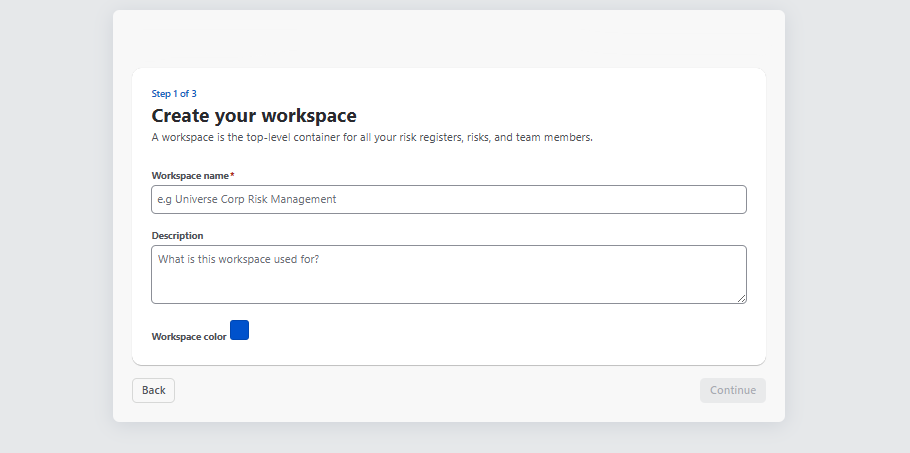
Defaults are copied when a register is created, not linked. Changing a default afterwards leaves existing registers untouched — deliberately, so a register’s methodology cannot change under it.
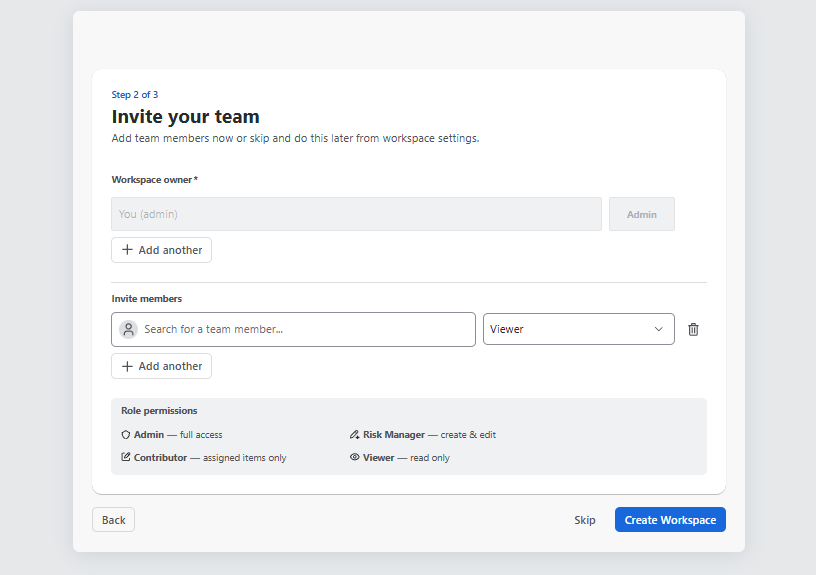
Members
Adding somebody to a workspace makes them visible in it. You can choose a member and give an access:
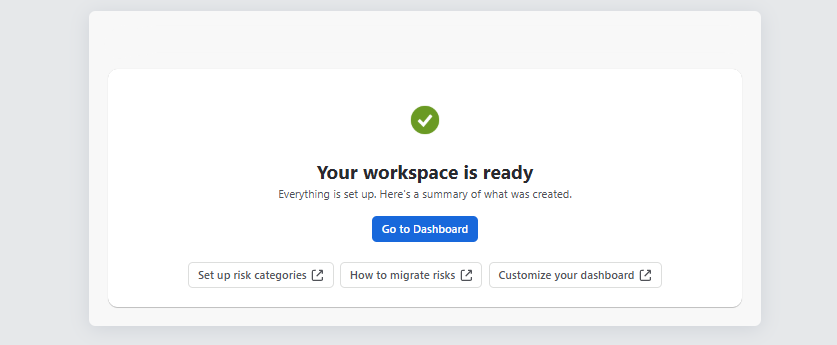
Once the configuration is done , your Workspace is ready:
Workspace Actions
After creating a workspace, it will appear in the top-left corner. From there, you can create a new one Workspace or edit the existing by clicking “ Workspace Settings “ button:
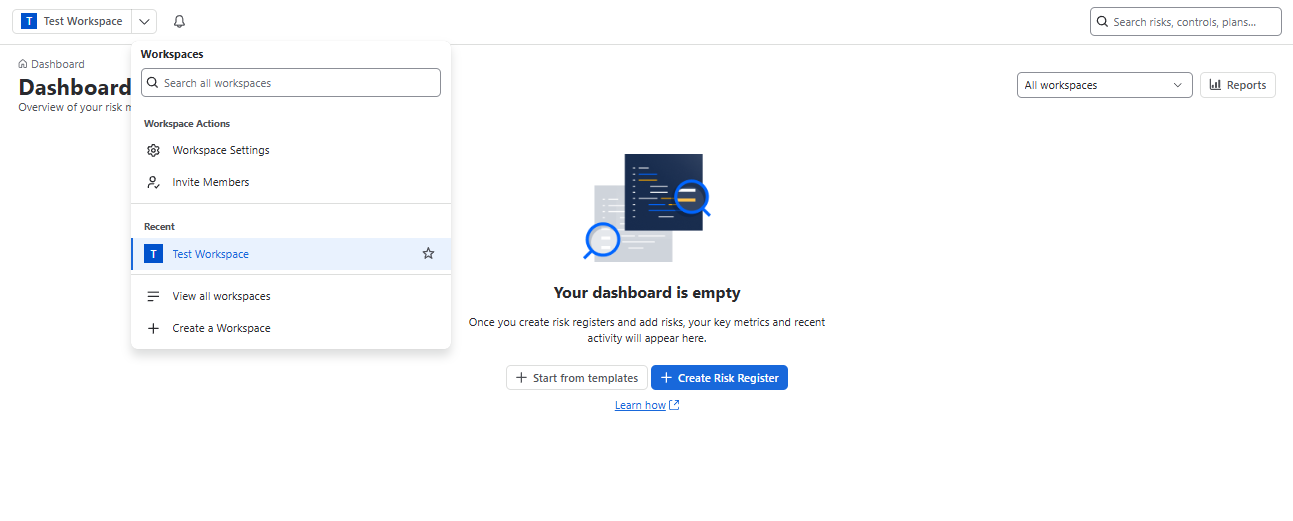
Here you can see already existing Workspace list:

By clicking “Actions” button you can see the following actions:
- Add to starred
- Add members
- Workspace settings
- Archive workspace
- Delete workspace
Deleting
Deleting is destructive. You must type the workspace name to confirm. There is a 14-day restore window, after which the data is gone permanently.