Vendors
Vendors
Purpose: Register of third parties with criticality, data access and questionnaire-based due diligence.
Permissions: vnd.view to see; vnd.edit to manage vendors and assessments.
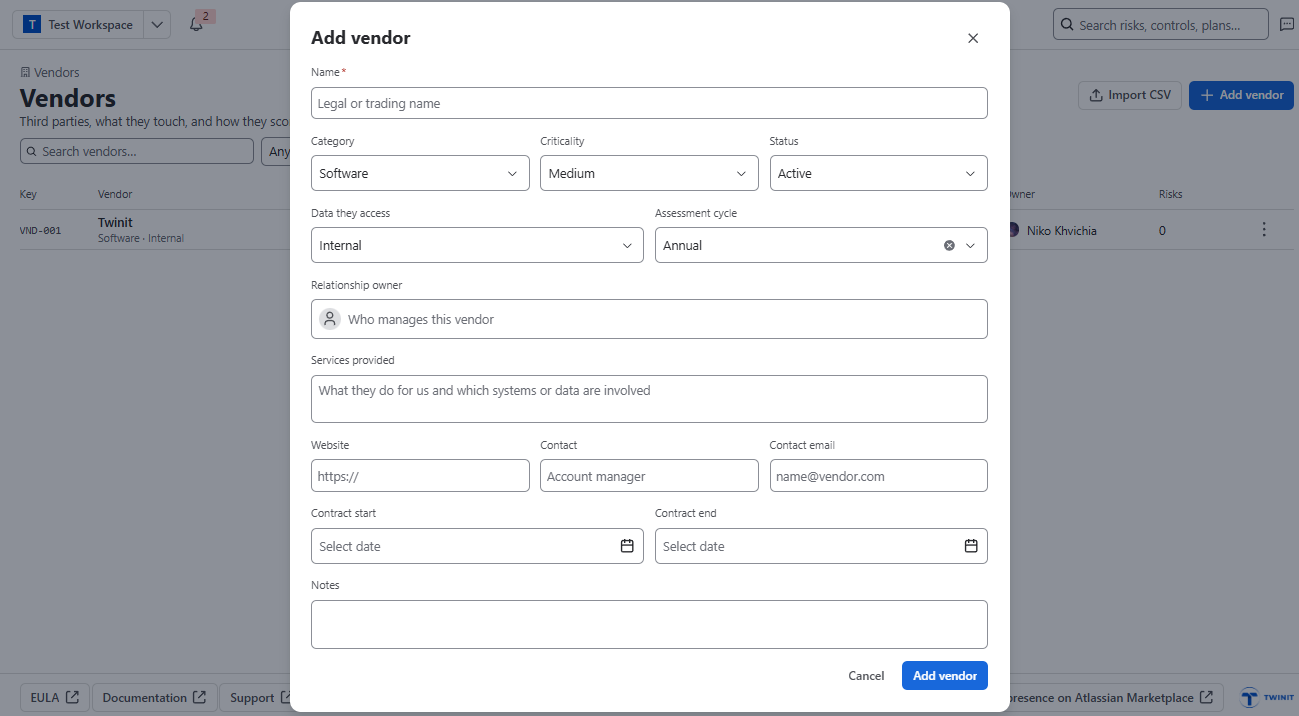
Registering a vendor (Add vendor, or Import CSV)
- Name, Category, Criticality (Low–Critical), Status (Prospective / Active / Under review / Offboarded), Data they access, Assessment cycle, Relationship owner, services, contacts, contract dates.
- Link risk connects the vendor to risks in a register.
Questionnaire assessment flow
- Start questionnaire and pick a template.
- Choose a Respondent (an internal colleague – vendors do not sign in) and a Due date.
- Respondent answers and submits once all scored questions are answered.
- A vendor manager reviews, writes a Conclusion and clicks Close assessment.
Scoring: Score out of 100 with section scores and a Meets / Partly / Gap mark per answer.
- Low risk: 80+
- Medium: 60–79
- High: 40–59
- Critical: below 40
The next assessment falls due one assessment cycle after the last. The Vendor risk report shows criticality and latest scores.