Treatment Plans_
Overview
A treatment plan turns planned controls into scheduled work. A treatment plan is how a planned control actually gets built. It is the part of the app that connects risk management to the work your teams are already doing in Jira
Create one from a risk’s Treatment Plans tab, or from the Treatment Plans section directly.
Create a treatment plan
Name the plan
Give description
Select a working model
- Plugin only
- Link to existing Jira epic
- Create new Jira epic
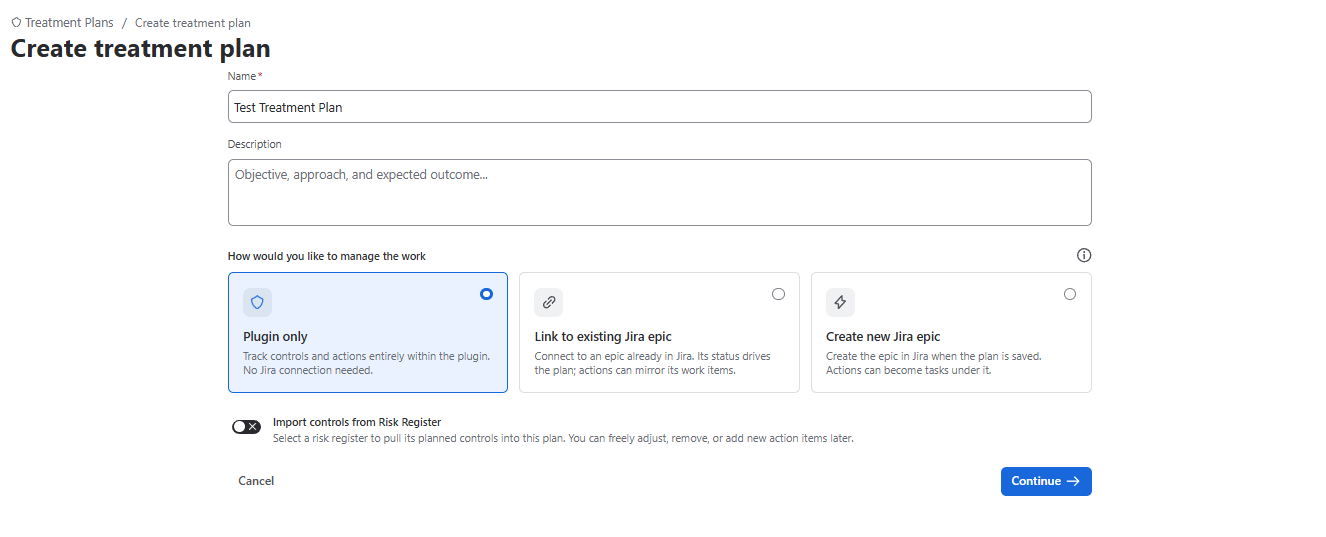
You can also Import controls from Risk Register by activating relevant toggle
- Select Treatment Strategy
- Select Scope
- Set the Plan Owner
- Select Review schedule
- Set the Target Date
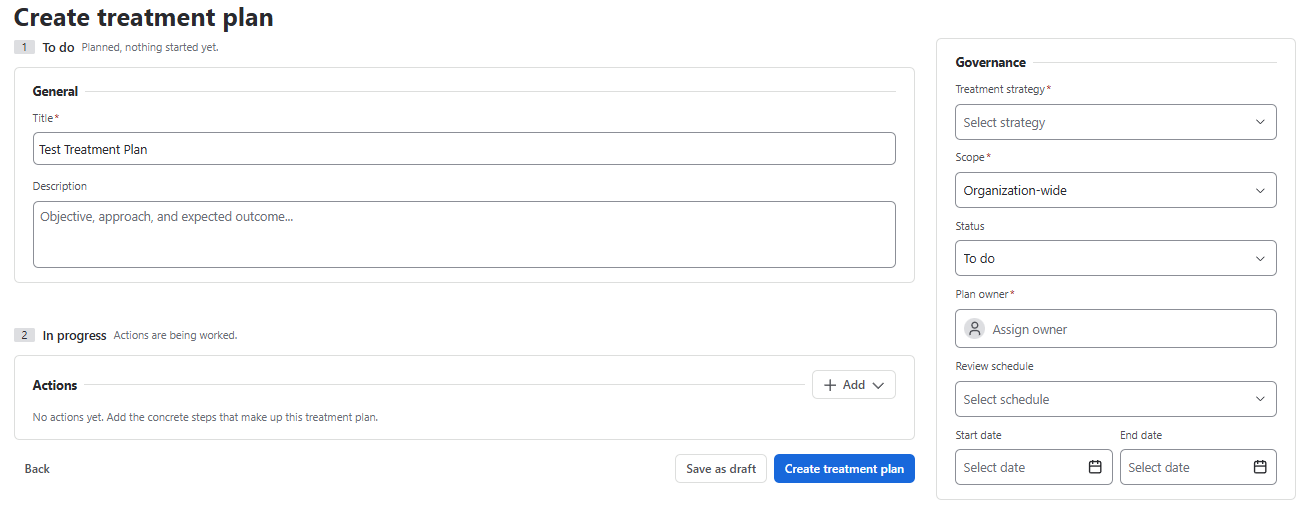
Treatment Plan View
After you create a treatment plan, it appears on the grid with all relevant information. From there you can edit or delete the plan.
List View

Gantt View

A treatment plan is how a planned control actually gets built. It is the part of the app that connects risk management to the work your teams are already doing in Jira.
In this section
| Page | What it covers |
|---|---|
| Creating a treatment plan | Building a plan from planned controls, with owners and dates. |
| Working with Jira issues | The three Jira modes, and exactly what synchronises. |
| Tracking progress | Reading progress, rollups and control completion. |
Why this section exists. Risk registers usually fail at the handover — the moment the register stops and the work starts. A treatment plan removes that handover by making the mitigation a real Jira issue with a real assignee and a real due date.