Risks
Raising a risk takes three steps. This page walks through a simple one so you can see the whole loop before configuring anything.
Identify Your Risk
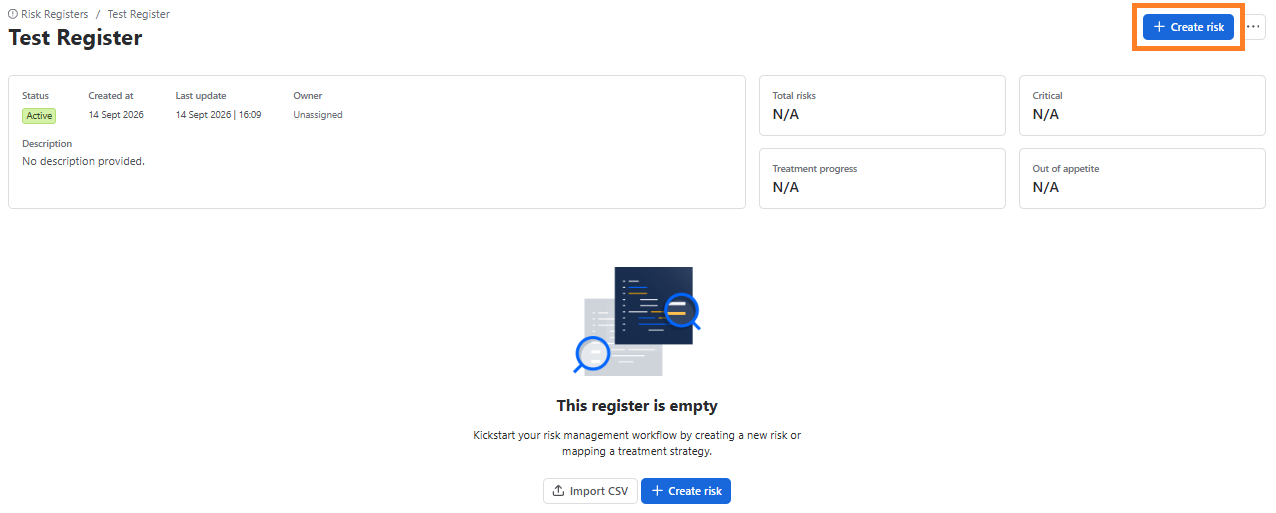
Once you have created a Risk Register now you can create a risk. Open your register and select Create risk:
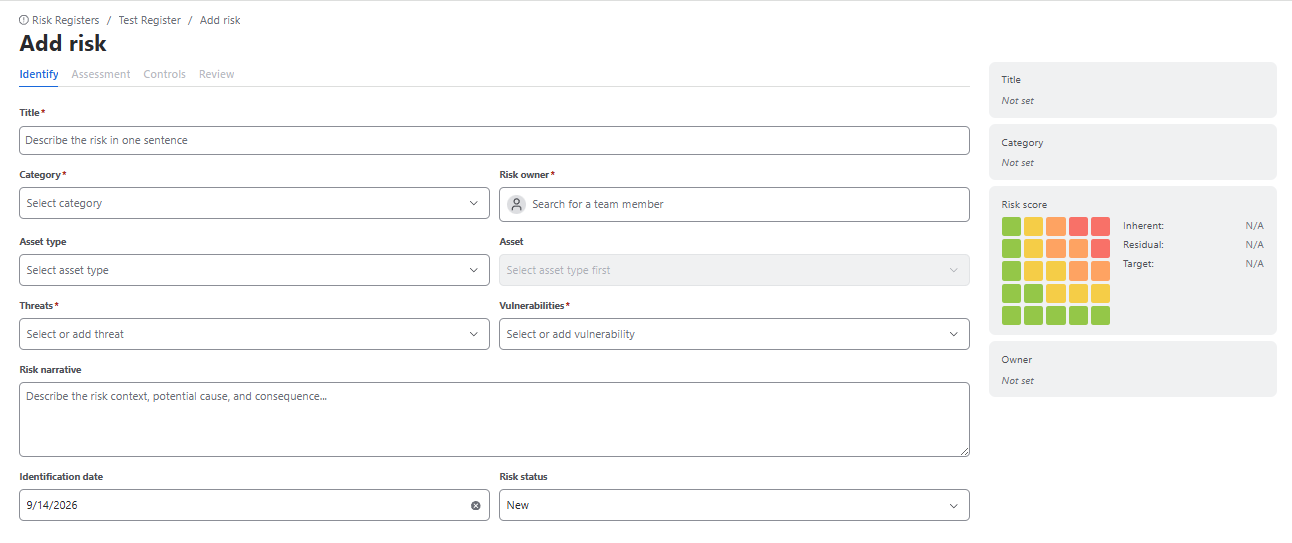
Here you will see the following fields:
- Title
- Category
- Risk owner
- Asset type
- Asset
- Threats
- Vulnerabilities
- Risk narrative
- Identification date
- Risk status
Assessment
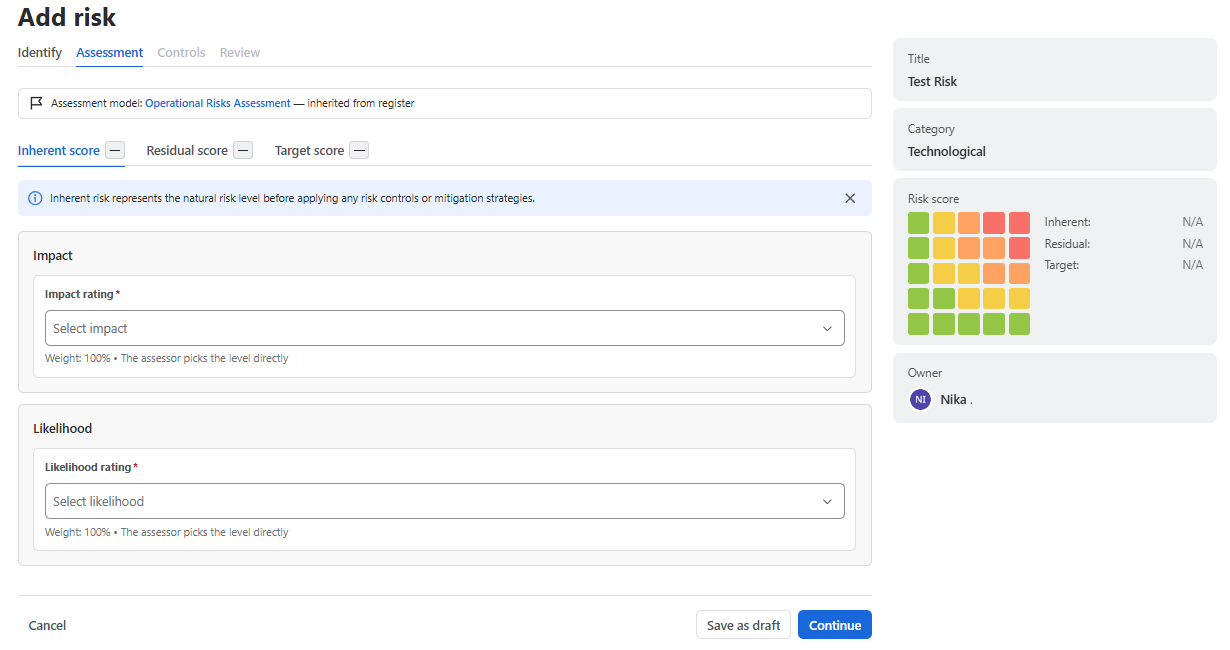
Score the risk as it would be with no controls at all. That is the inherent score, and people consistently score it too low because they subconsciously credit controls they already have.
Answer the factor questions for each dimension. Each shows its weight, so you can see what is driving the result. The score appears as you go.
The three scores
| Score | Means | Answers |
|---|---|---|
| Inherent | Before any controls | How bad would this be if we did nothing? |
| Residual | After the controls you actually have | How bad is it today? |
| Target | After the controls you plan to build | How bad will it be if we deliver the plan? |
The distance between residual and target is your treatment plan. The distance between residual and appetite is your problem.
How a score is built
- A factor is one scored question — for example How many customers are affected? Each answer maps to a score, typically 1 to 5.
- A dimension groups factors and weights them. Impact and Likelihood are the usual two, but you can define others. Weights within a dimension must total exactly 100%.
- The matrix and formula combine the dimensions into a single score.
- Bands turn that number into a label — Low, Medium, High, Critical — and each band carries an obligation, such as executive notification and a seven-day plan.
All four live in an assessment methodology, which a register then uses.
Why appetite is a band, not a number
Appetite is the threshold above which a risk needs a decision rather than just monitoring. It is expressed as a band — everything above High, say — and not as a raw number.
Comparability lives on the methodology. Two registers using the same methodology can have their scores added together. Two using different methodologies cannot: a score out of 25 and a score out of 16 must never be averaged. Because appetite is a band, those two registers can still be compared by counting how many risks sit above appetite in each — which is the comparison an executive actually wants.
Manual and automated residual
Residual score can be set two ways:
- Manual — a person judges it, with the control analytics on screen: total control effectiveness, the reduction from inherent, control health, and the gap to appetite.
- Automated — the factor inputs lock and the score is computed from the mitigation coverage of the attached controls.
Whenever a person overrides the calculated value, the override is marked on the record. That marker is what lets an auditor see where judgement replaced arithmetic, and it should never be removed from an export.
If a factor is already answered when you arrive, it was filled from the asset you chose in step 1. You can override it, and the override will be marked.
Controls
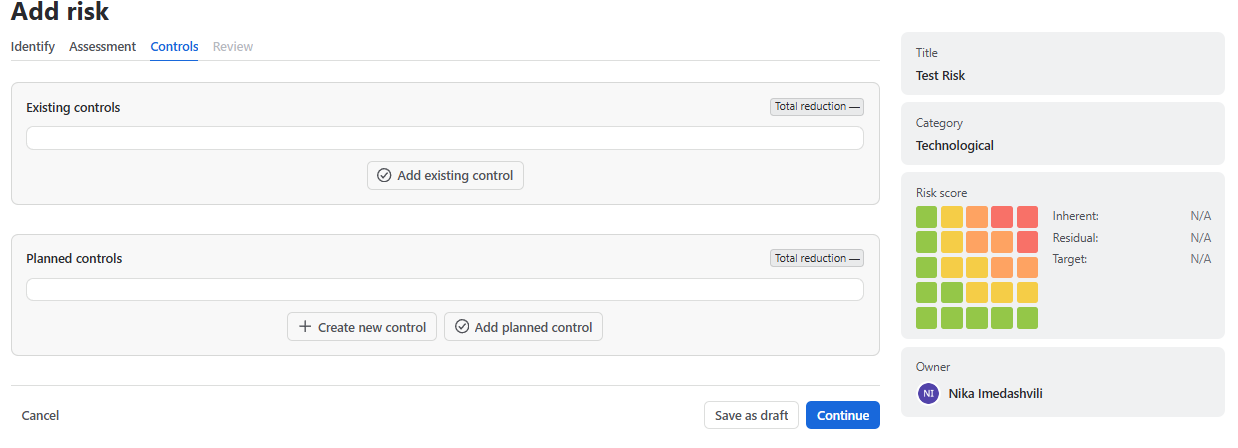
- Select Add existing control to attach something from your control library, or Add planned control for something you intend to build.
- For each control, set what it does for this risk: which dimension it reduces, and by how much.
- Return to the assessment to set the residual score — what the risk looks like with those controls in place.
You now have a risk. It appears in the register table with its inherent and residual scores and its position on the heat matrix. If the residual score is above appetite, the register will show it as out of appetite and it needs either more treatment or a formal acceptance.
Editing an existing risk
Open the risk and select Edit. What you may change depends on three things: your role, whether you own or are assigned the risk, and whether the current stage has been frozen. A field you cannot edit is shown read-only rather than hidden, so the value still reconciles with reports.
Every change is written to the audit log with your name and a timestamp.
To build the mitigation as real work, continue to Treatment Plans.