Incidents
Incidents
Purpose: Record risk events that actually happened: what occurred, the loss, regulatory reporting and root cause. Linked incidents feed back into the risk’s assessment.
Permissions: inc.view to see; inc.edit to report and edit.
Reporting an incident (Report incident, or Import CSV)
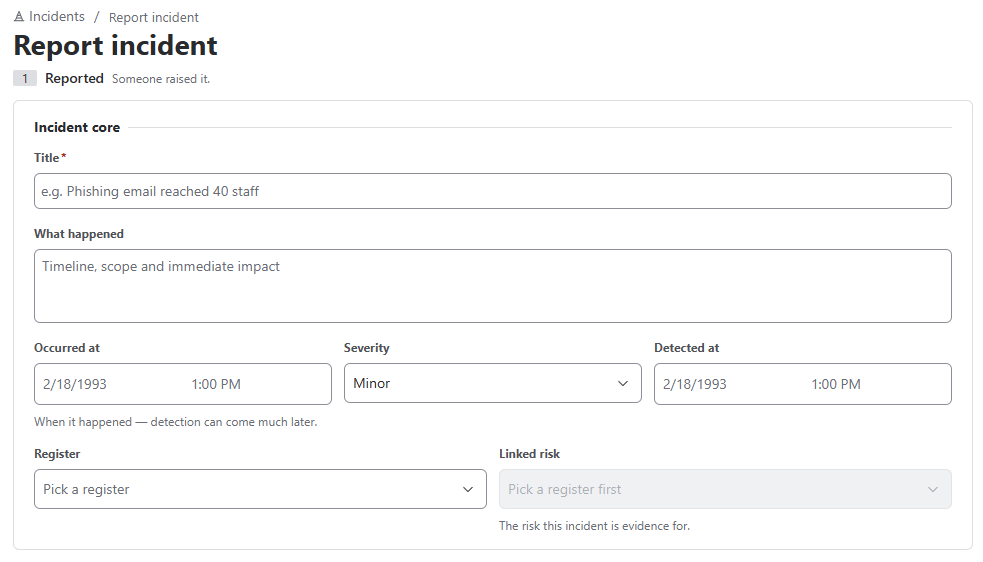
- Incident core – Title, What happened, Occurred at, Severity (Minor / Major / Critical), Detected at, Register, Linked risk
- Loss & classification – Loss type (Actual loss / Near miss / Potential loss), Business line, Event type (Basel II), Gross loss, Recovered, Currency (net loss is calculated)
- Regulatory reporting – regulator, deadline, reported at, report reference
- Root cause – Cause category (People / Process / Systems / External events), Root cause, Lessons learned
Lifecycle: Move the incident through its stages; use Log regulatory report to record the report to the regulator. Reminders are sent two days before a regulatory deadline and daily after it passes.
- The risk owner is notified and the event is added to the risk history.
- The risk’s Incidents card counts incidents in the last 12 months and since the last assessment.
- If incidents keep occurring while likelihood is rated low, the app warns “The assessment looks optimistic” and offers Reassess the risk.