Communications
Communications
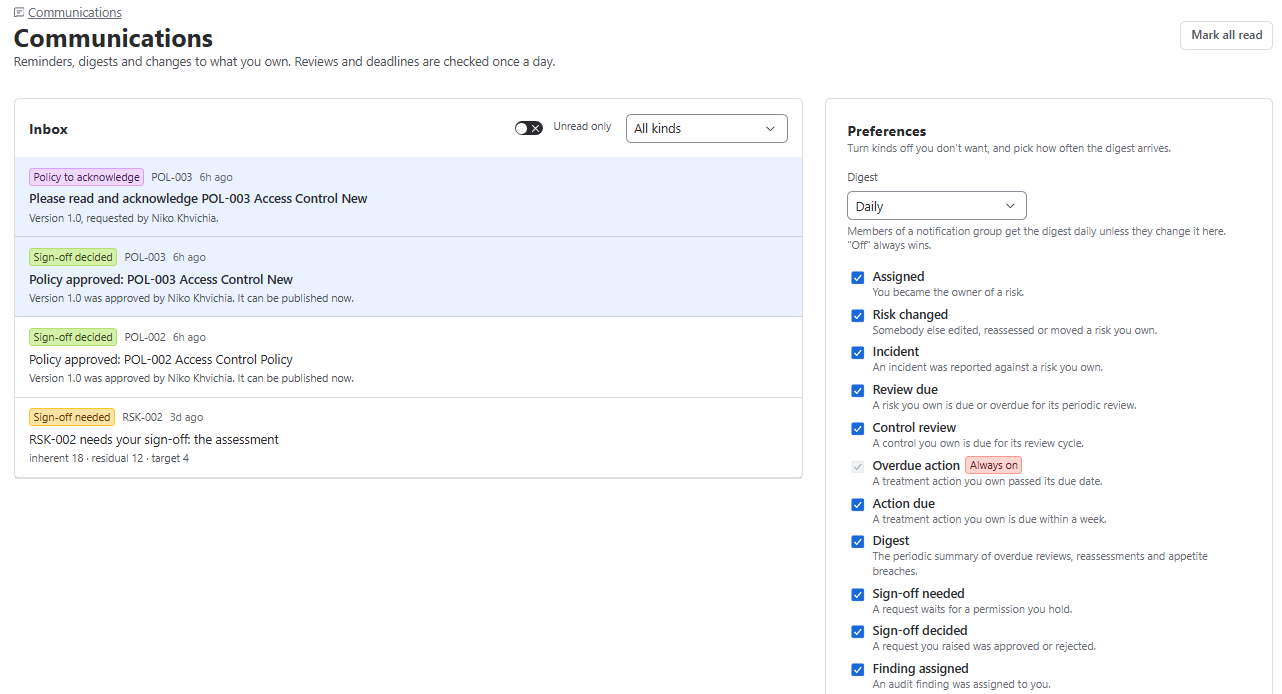
Purpose: Your notification inbox and notification preferences.
Notifications cover: assignments, reviews and tests due, overdue actions, sign-offs, findings, indicator breaches, expiring evidence and exceptions, policies to acknowledge, questionnaires and escalations.
Jira task delivery (optional, admin-enabled)
- Urgent notifications can also arrive as Jira tasks assigned to you, so Jira’s own email/mobile notifications reach you.
- Each kind gets a Jira task toggle in Preferences. Critical kinds (indicator breached, escalated to you, overdue action) are always delivered.
- Tasks close automatically when you read the notification or the item is dealt with.
- Upside itself sends no email and nothing leaves Atlassian.
Admin setup: Settings › Logs & data › Delivery channels (adm.comms). Set the Jira project key, choose routing by urgency tier (Critical / Act now / Routine), and monitor Recent deliveries.
Key points
- Notifications appear in the bell (header) and on the Communications page. Bell: Mark all read / See all.
- Reminders are checked once a day. You are never notified of your own changes.
- Preferences: choose a Digest (Daily / Weekly / Off) and switch individual notification kinds off.