List Of Target Instance
List Of Target Instance
From here you can see and manage the added target instances:
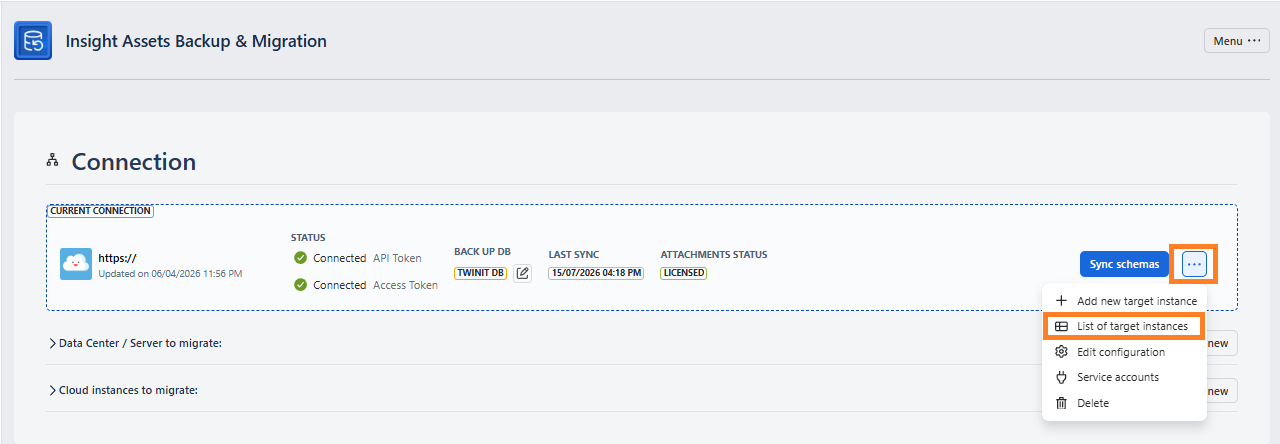
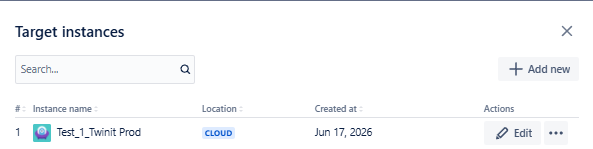
The list shows:
| Field | Subfield / Description |
|---|---|
| Instance name | — |
| Location | Cloud ; Data Center |
| Created at | Date when the target instance was added |
| Actions | Edit (To modify the instance details. After clicking Edit, you will see the same fields as for adding the new instance) |
| Actions | Delete (To delete the target instance from the list) |
You can also add a new instance, by clicking the +Add new button.