Installation & Licensing
To enable this feature for Cloud, Assets Attachments Backup & Migration should be installed on the source and target Cloud instances (in case of cloud-to-cloud migration). The app has no limitation in a trial mode.
For enabling this feature for Server/DC, Insight Assets Cloud Migration Assistant installed on the source instance is a prerequisite. In addition, to acquire attachments migration feature, please contact our Service Desk. Without acquiring the attachments migration feature, you will be able to migrate 50 objects in trial mode of the Insight Assets Cloud Migration Assistant app.
Therefore, to enable the full migration of the attachments:
- Insight Assets Backup & Migration should be installed on a target Cloud instance.
- Assets Attachments Backup & Migration should be installed on a target Cloud instance.
- Insight Assets Cloud Migration Assistant should be installed on the source and target DC/Server instances.
- The attachments feature must be acquired (20% of the price of the DC/Server app, please contact our Service Desk for more details).
| DC/Server app * | DC/Server Attachments feature | Any Cloud app ** | Attachments Migration |
|---|---|---|---|
| Trial or subscription | Not acquired | Trial or subscription | 50 attachments |
| Subscription | Acquired | Trial or subscription | Full migration |
| Trial or subscription | Any status | Expired or unlicensed | Disabled |
| Expired or unlicensed | Any status | Trial or subscription | Disabled |
** Insight Assets Backup & Migrationand Assets Attachments Backup & Migration
You can see the current status of the attachments restore/migration feature along the current connection and added DC/Server instance details:
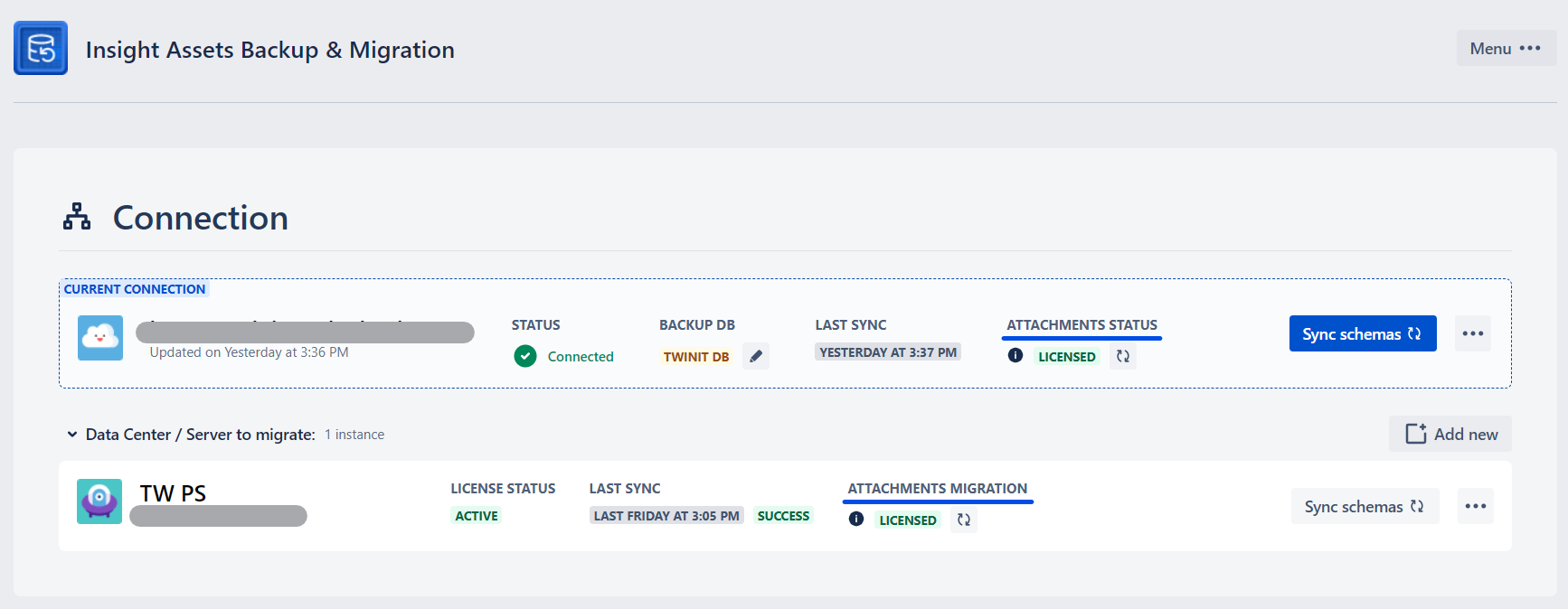
Current Connection - Attachments status
Shows the status of the Assets Attachments Backup & Migration app on the cloud instance:
- Not installed - the app is not installed on the cloud instance
- Licensed - the app is installed in trial or a subscription is acquired
- Unlicensed: Trial or the subscription is expired
Data Center / Server - Attachments migration
Not installed - Insight Assets Cloud Migration Assistant is not installed on the DC/Server instance
Limited
- Insight Assets Cloud Migration Assistant is installed with a trial license
- Insight Assets Cloud Migration Assistant is purchased, but the attachments feature is not enabled
Expired - Insight Assets Cloud Migration Assistant trial or license is expired
Addon Disabled - Insight Assets Cloud Migration Assistant is disabled
Licensed - Insight Assets Cloud Migration Assistant is purchased and the attachments feature is enabled
The status of the attachments feature is automatically refreshed every 3 hours. To check the status immediately, click Refresh (🔃) icon along the status for Cloud and DC/Server connections (several seconds might be needed for the status to be updated).