Backup
After the Assets Attachments Backup & Migration is installed in the cloud, you will be able to backup also attachments associated with the object schemas.
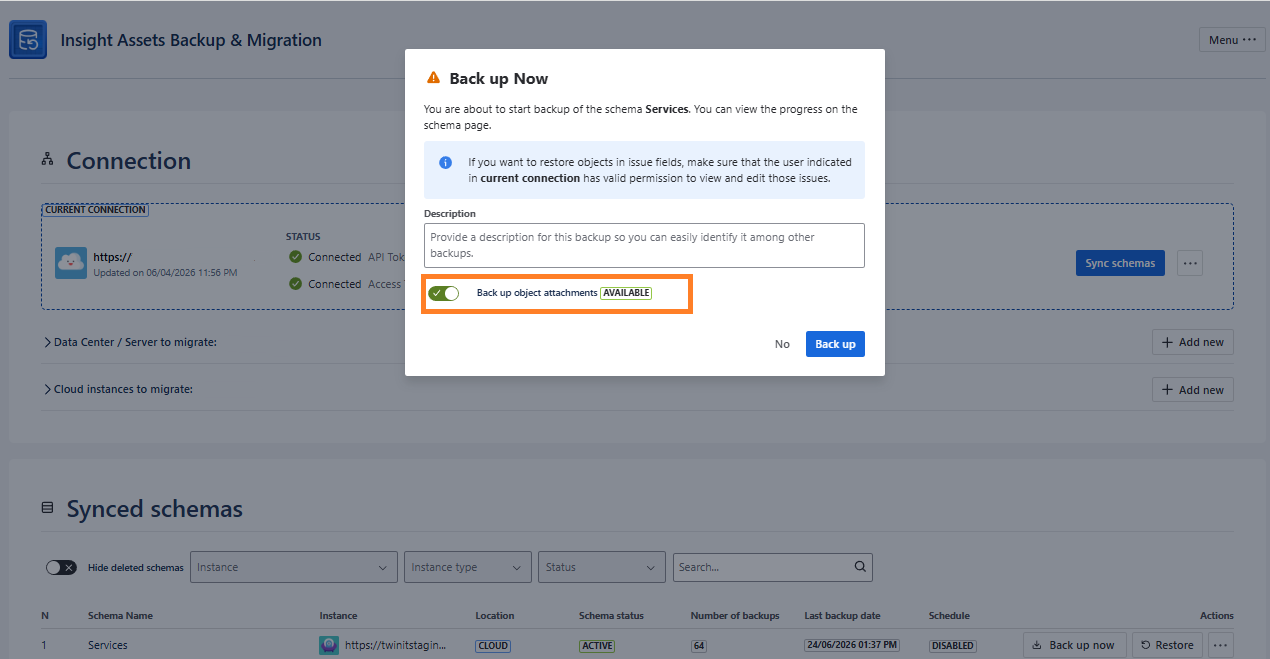
To do so, switch the toggle either during manual backup or for the scheduled backups of the desired schema:
- Manual backup
- Scheduled backup
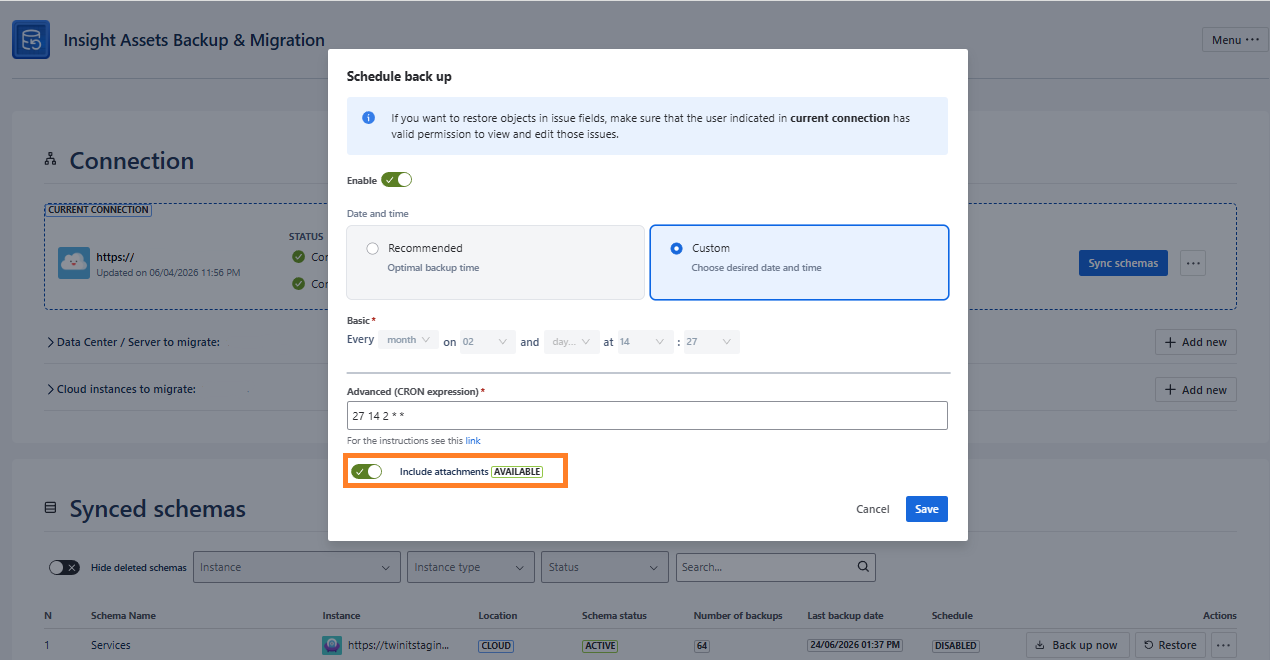
If the app is not installed or not licensed (e.g. trial or the subscription expired), you will see either NOT **INSTALLED **and **UNLICENSED **statuses respectively, and the toggle will be disabled.
When the backup is taken with the enabled backup of attachments, you will see the status and the number of the attachments in the available backups:
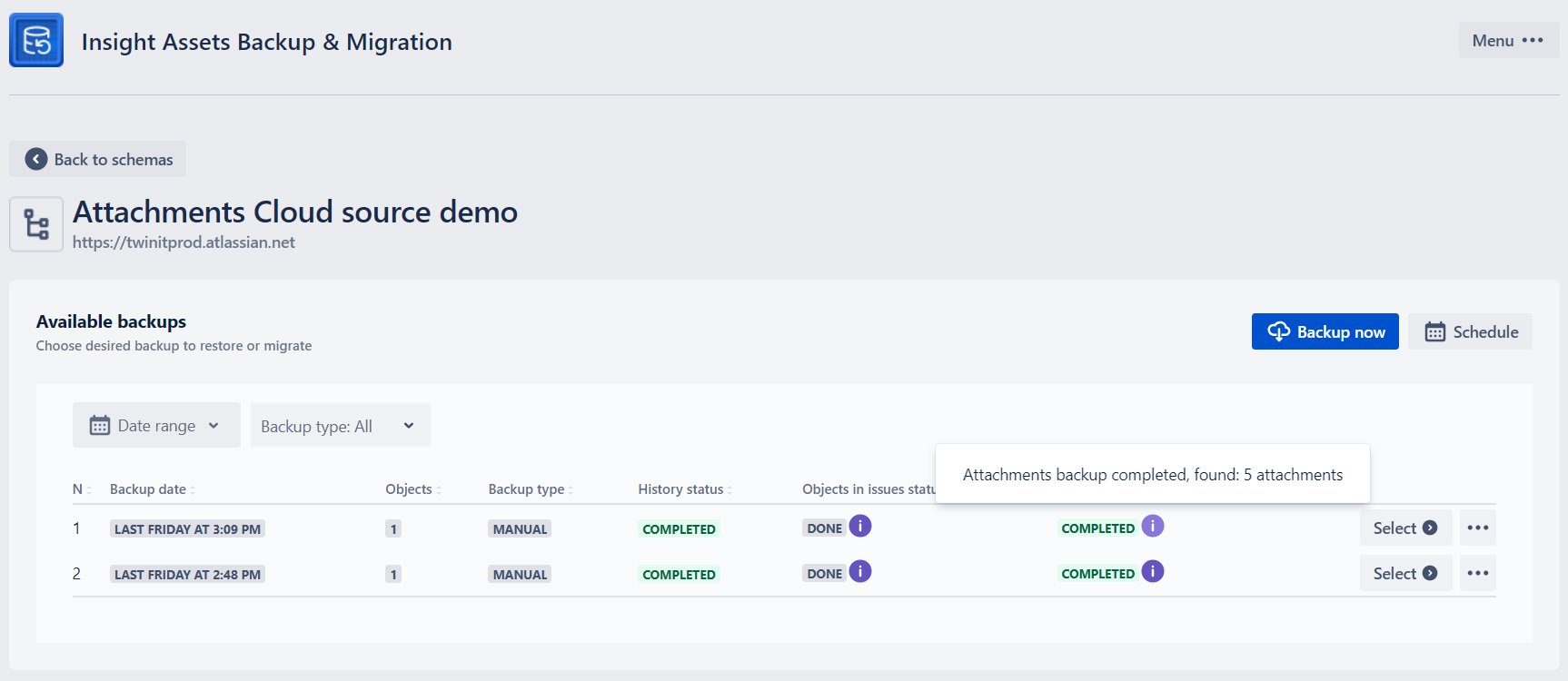
The app supports 10 parallel backup processes of the attributes. If more processes are started (app-wise), the status will be IN QUEUE and move to PENDING and IN PROGRESS, as soon as the previous attachment backups are completed. You don’t need additional action, the backup will starts as soon as the queue is available.