Backup Of Objects In Jira Issues
During schema backup, the information about objects selected in Jira issue fields will be also backed up. The corresponding backup status will be shown under “Objects in issues status“ in the schema restore page (Available Backups).
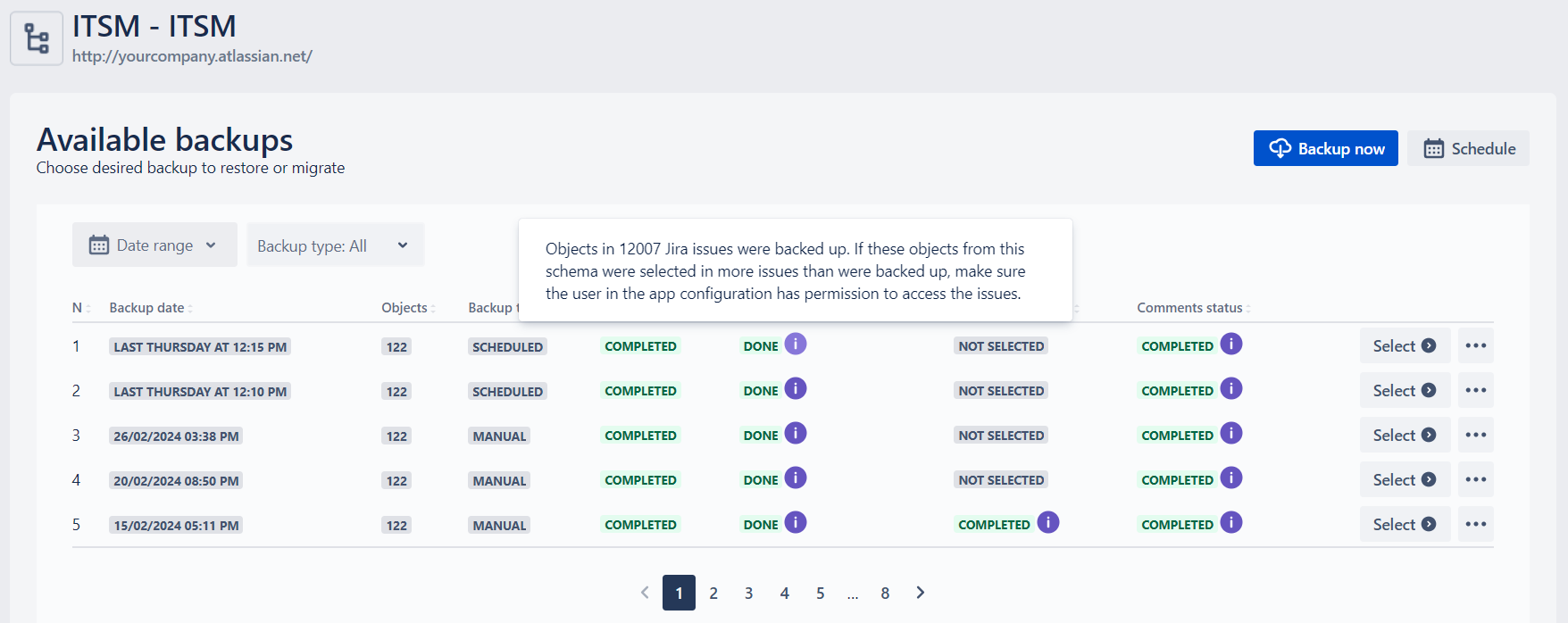
Clicking the “Info“ icon will display the number of the issues, information of which was recorded in the backup. The number shows a number of the unique issues where the objects from this issue are selected and do not depend on the number of fields and the number of objects.
You can check whether all the issues were recorded by comparing this number and finding the number of the issues via JQL in Jira (e.g. by searching all the issues where the corresponding Assets custom field is not empty).
When Insight Assets Backup & Migration is uninstalled, all the backups will be deleted in 24 hours!