Design Templates
Design Templates
Designs control how the booking form looks on the portal. Each profile picks one in its Design section.
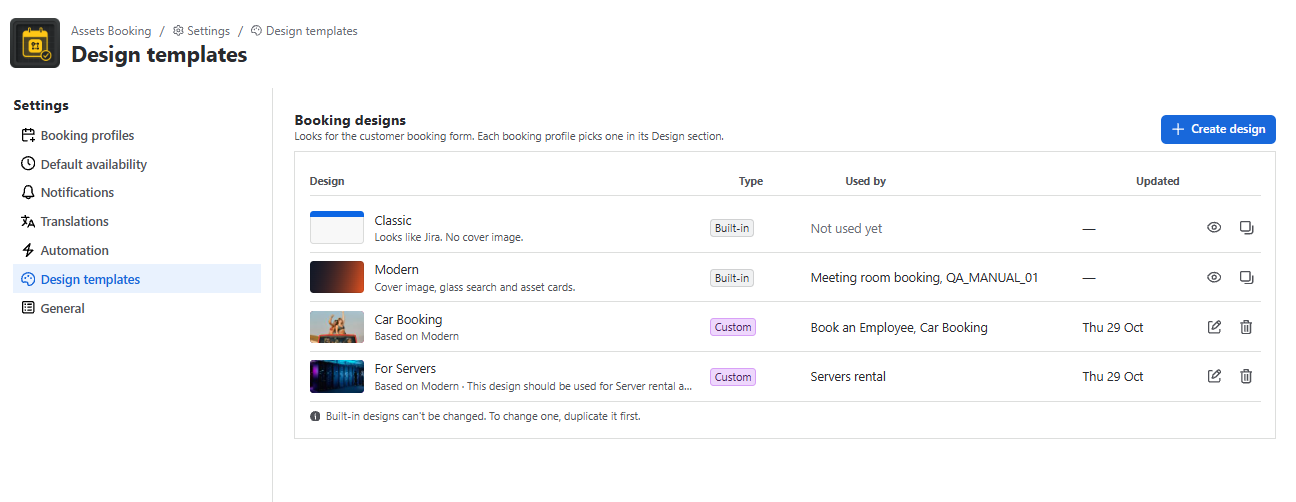
| Design | Look |
|---|---|
| Classic | Looks like Jira: plain header, assets in a list, no cover image. Blue (#0C66E4). |
| Modern | Cover image or gradient, glass search bar, asset cards in a grid, dark summary bar. Orange primary (#FF5A1F), dark secondary (#111827). Default for new profiles. |
Built-in designs can’t be changed. To create your own, click Create design (starts from Modern) or Duplicate a built-in design. You can have up to 20 custom designs. The editor has:
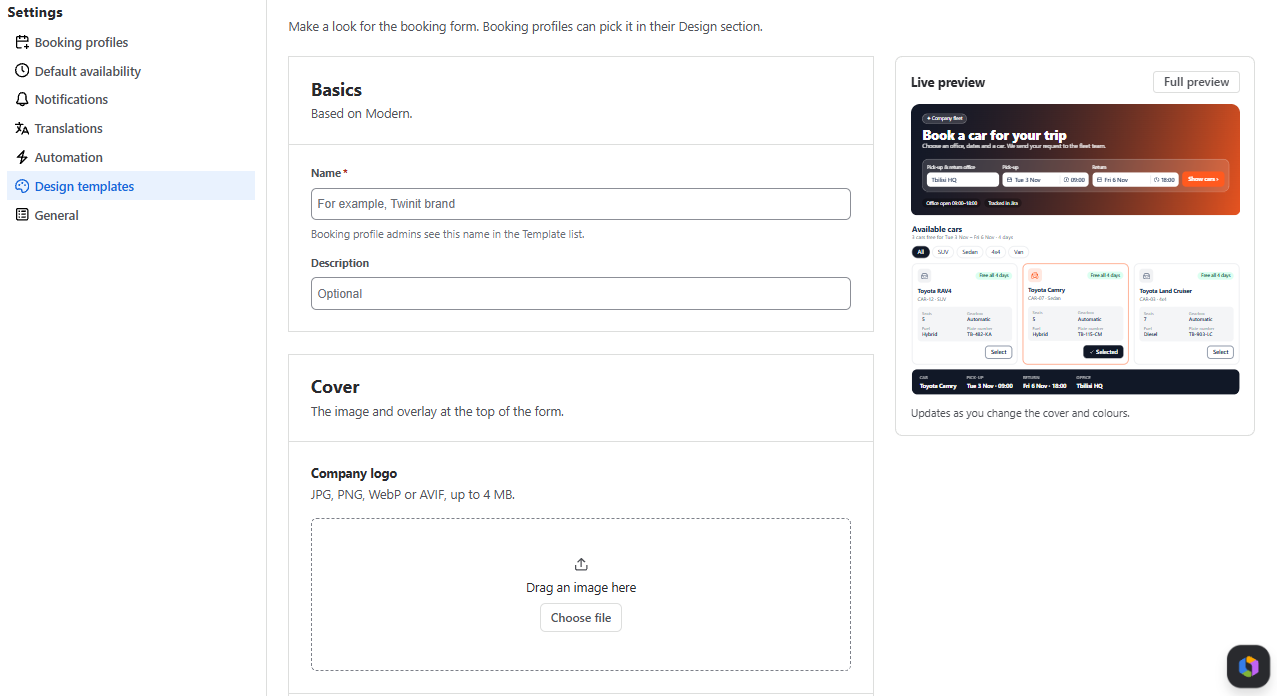
Basics: Name and Description. The layout (Classic or Modern) is inherited.
Cover (Modern-based only):
- Company logo and Cover image: JPG, PNG, WebP or AVIF, up to 4 MB; wide images look best.
- Overlay: Solid colour or Gradient with direction and opacity, to keep text readable.
Colours:
- Primary colour: buttons, picked dates, links
- Secondary colour: selected cards, chips, summary bar.
A warning appears if white text would be hard to read.
- Live preview and Full preview with sample data.
A design used by a profile can’t be deleted until those profiles pick another design.