Automation
Automation
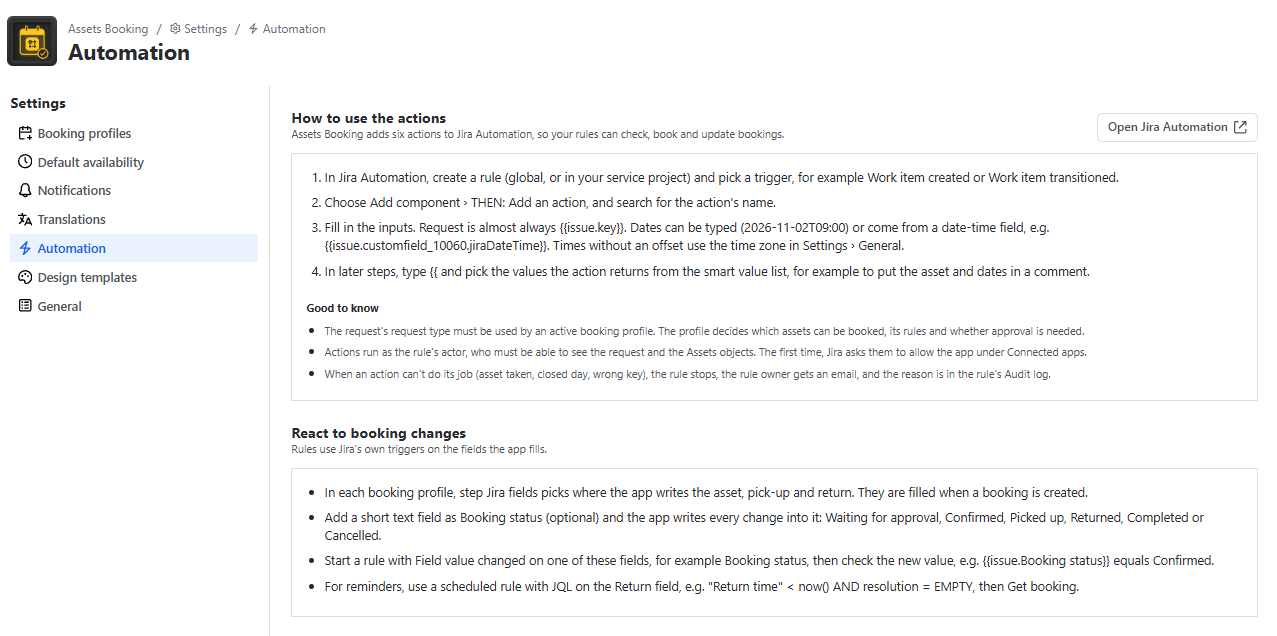
The app adds six actions to Jira Automation. In a rule, choose Add component › THEN: Add an action and search for the action name. Settings › Automation has the same guide and an Open Jira Automation button.
| Action | What it does | Smart values returned |
|---|---|---|
| Get booking | Reads the request’s booking. | found, status, asset, assetName, start, end, startText, endText, overdue |
| Check availability | Checks whether an asset can be booked at given times using the profile’s rules and availability. | available, reason, conflictRequest, nextFreeStart, nextFreeStartText |
| Create booking | Books an asset for the request (confirmed, or waiting for approval). | status, asset, assetName, start, end, startText, endText |
| Mark picked up | Records that the customer has the asset. | as above + pickedUpAt |
| Mark returned | Records that the asset is back and frees it. | as above + returnedAt, late, minutesLate |
| Cancel booking | Cancels and frees the asset. Does nothing if there’s no booking. | cancelled, asset |
Inputs
- Request: almost always {{issue.key}}.
- Asset key: the Assets object key, e.g. FAC-21, often from your Assets field’s smart value such as {{issue.customfield_10050.objectKey}}. Check the value with a Log action first.
- Start / End: e.g. 2026-11-02T09:00 or {{issue.customfield_10060.jiraDateTime}}. Times without an offset use the time zone in General.
Good to know
- The request type must belong to an active booking profile.
- Actions run as the rule’s actor, who must be able to see the request and the Assets objects. The first time, Jira asks them to allow the app under Connected apps.
- If an action fails (asset taken, closed day, wrong key), the rule stops, the rule owner gets an email, and the reason appears in the rule’s audit log.
- To react to booking changes, use Field value changed on the profile’s Booking status field.
Example Rules
| Rule | Recipe |
|---|---|
| Book automatically | Work item created + request type condition → Check availability → if {{availability.available}} = true: Create booking and comment “Booked {{booking.assetName}} from {{booking.startText}} to {{booking.endText}}.”; else comment with {{availability.reason}} and {{availability.nextFreeStartText}}. |
| Workflow drives handover | Work item transitioned → status Picked up: Mark picked up; Resolved/Done: Mark returned; if {{booking.late}}, add the label returned-late. |
| Cancel frees the asset | Transitioned to Cancelled/Declined → Cancel booking with reason {{issue.status.name}}. |
| Chase overdue returns | Scheduled hourly, JQL "Return time" < now() AND resolution = EMPTY AND labels != overdue-reminded → Get booking → if {{booking.overdue}}: comment to the customer and add the label overdue-reminded. |
| Tell the customer | Field value changed on Booking status → if “Confirmed” or “Cancelled”, add a customer-visible comment. |